Angry Archivist: Can I Just Glue It?

Angry Archivist: Can I Just Glue It?

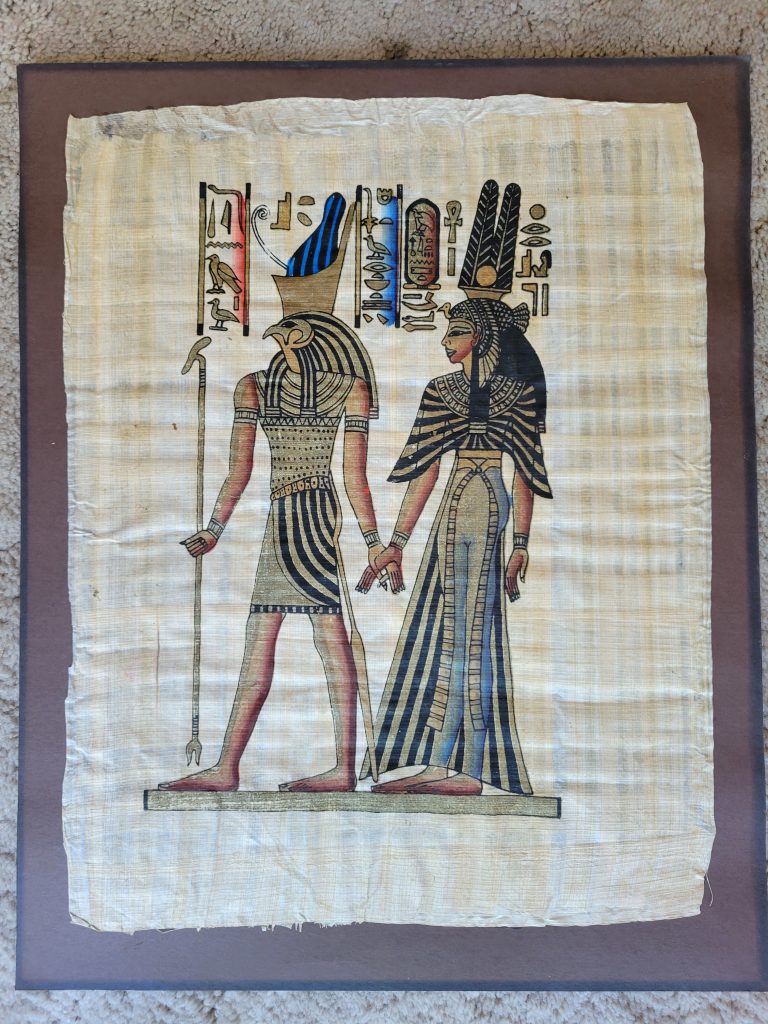
Here is a photo of the papyrus artwork just after I removed it from the frame. Notice the faded black color of the posterboard. The art was completely glued to the backing.

For this post blog post, I’m deviating a bit from the Civil War and shifting gears into archival madness that I sometimes run across on a personal level. I feel that although we’re not discussing Civil War archives, this is something that very much applies to them, or any personal family documents and art you may have framed. Specifically, today we’re talking about glue, and why it should never be anywhere in the same place as documents, photos or artwork. So, in answer to the question, “Can I just glue it?” No, please don’t.

First, a little backstory. As you may have guessed, I’m a bit of a history nerd, and that love of history extends beyond the Civil War to collecting ancient Egyptian artwork ever since I was a little kid. Imagine my excitement to find a whole slew of hand painted souvenir papyrus at a garage sale recently for $30! I snatched them all up and took them home to reframe them, and then I got angry.
Once I dismantled the frame, I found this original papyrus illustration glued to a sheet of posterboard. And not small dabs of glue in each corner, GLUED. Swirls of glue all over that posterboard. I’d hoped that perhaps the glue was old enough that it would not have a good hold on the art anymore, and that the papyrus would just pop off from it. I was mistaken. In the immortal words of Elwood Blues, “this was glue. Strong stuff.

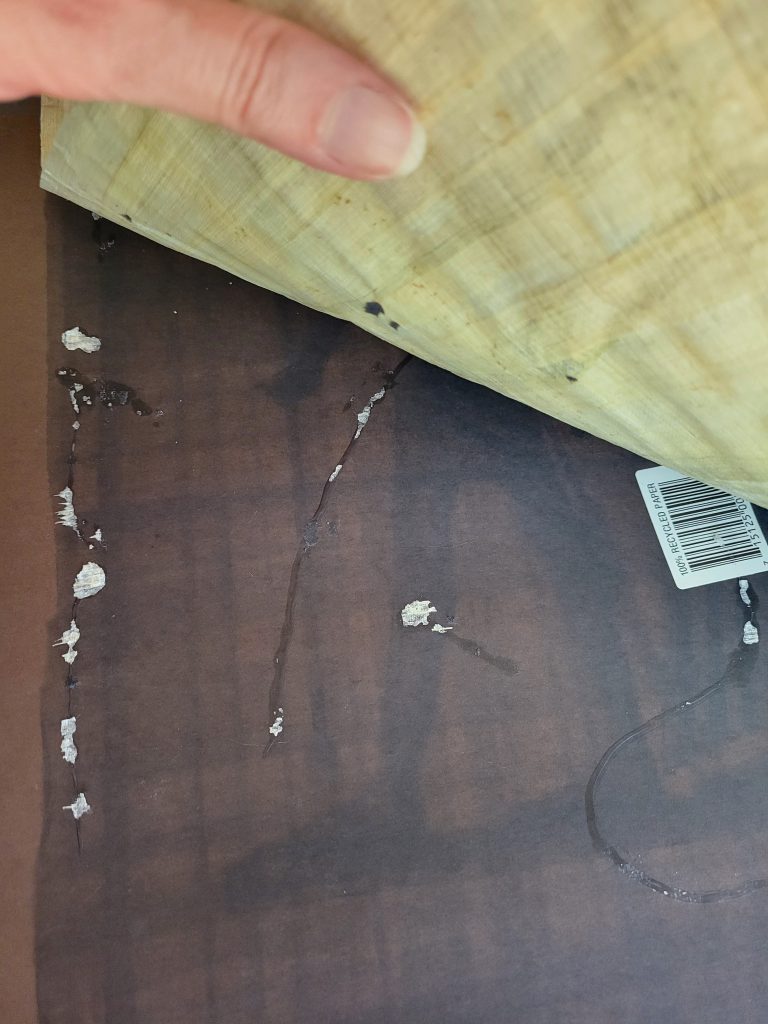
I was able to slowly peel the papyrus off of the glue by working my hand between it and the posterboard very very slowly. It is important to note here that papyrus is stronger than old documents and paper in general. Because of the plant fibers it was tougher, but if you look at the photos, it still lost some pieces in the process. In addition, there are remnants of glue stuck to the back of the art that has essentially permanently bonded to it.

I took this photo as I was working on separating the art from the backing. Notice the glue streaks, the faded black posterboard and the remnants of papyrus material stuck to the posterboard, and pieces of posterboard stuck to the papyrus.


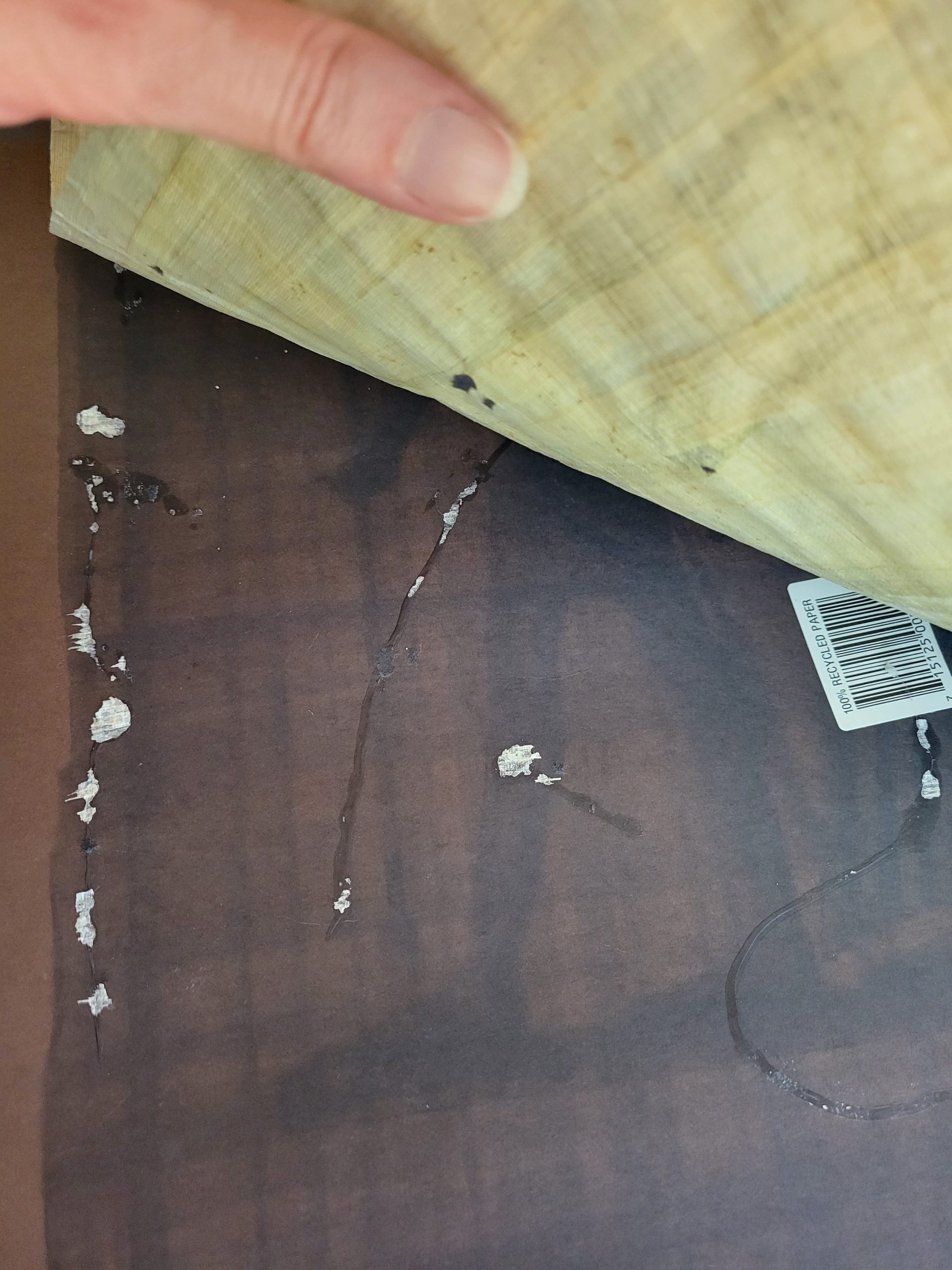
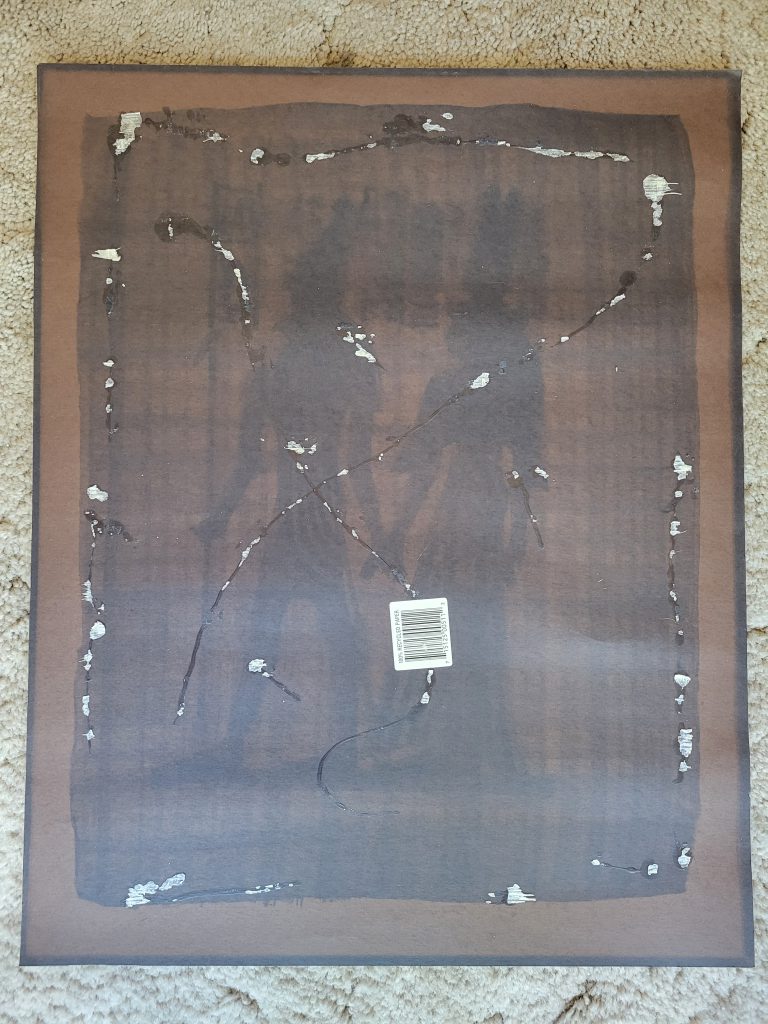
This photo speaks to several archival issues at once. First, notice the "ghost" image of the art on the posterboard. This is from UV light shining on the image and fading the posterboard behind it, but the painted portions blocked the light from shining through leaving a "ghost" image. Second, notice the overwhelming amount of glue used and how that tore at pieces of the art. And lastly, the barcode sticker was not removed when it was originally framed, which is not something you want touching your documents as it is not archival. In fact, nothing in the picture is archival.
This photo speaks to several archival issues at once. First, notice the “ghost” image of the art on the posterboard. This is from UV light shining on the image and fading the posterboard behind it, but the painted portions blocked the light from shining through leaving a “ghost” image. Second, notice the overwhelming amount of glue used and how that tore at pieces of the art. And lastly, the barcode sticker was not removed when it was originally framed, which is not something you want touching your documents as it is not archival. In fact, nothing in the picture is archival.

It is possible that this was some sort of water-soluble glue (ex. Elmer’s), but introducing water to try to remove it is extremely risky for any paper medium. As I’ve mentioned in previous archival posts, it is important that whatever you do with any historical document (or artwork) is reversible. Using a mountain of glue to stick it to non-archival posterboard is not reversible.
With Civil War-era documents you may even run across the infamous cheese glue (yes, that is a thing). And silly though it may sound, it is indeed strong stuff. When documents are glued together historically, I would refrain from attempting to separate them. However, this can be done in some cases by employing steam to attempt to release the glue. This is also very risky and damaging as it is introducing water vapor to a document which can wrinkle and warp it. However, if the document is unreadable or at risk by continuing to be glued to something, then it is generally worth the risk to mitigate that.

I am happy to report that this story has a happy ending as the hand painted souvenir trinket papyrus painting of the god Horus and Queen Nefertari was saved and is now hung up in a floating frame.

I would be remiss if I didn’t also mention that in the course of reframing about half a dozen of these pictures, I found a few where the artwork was mounted to posterboard using some kind of putty. This putty had the consistency of chewing gum and as you can imagine did not peel off well from a textured surface and also left stains behind. For future reference, please refrain from gluing or using chewing gum to mount any documents to posterboard. And please don’t use posterboard either as it’s non-archival and you can see how it faded in the pictures and even left a “ghost image” of the original artwork behind.

While this information may not apply to how you keep your Civil War documents, it is something to watch out for when framing beloved family photos or mementos—things that we often don’t consider historic. Because of that, we may not take the same considerations as we would with that hand-signed letter from Abraham Lincoln that is sitting in our collection. (Please don’t glue your Abraham Lincoln letters!) However, as time goes on and these family photos and souvenirs become older and intrinsic to family history, it is important that they are taken care of just as well.

Archive Tips: NPS Conserve O Grams Are a Fantastic Free Resource

Archive Tips: NPS Conserve O Grams are a Fantastic Free Resource

Conserve O Gram

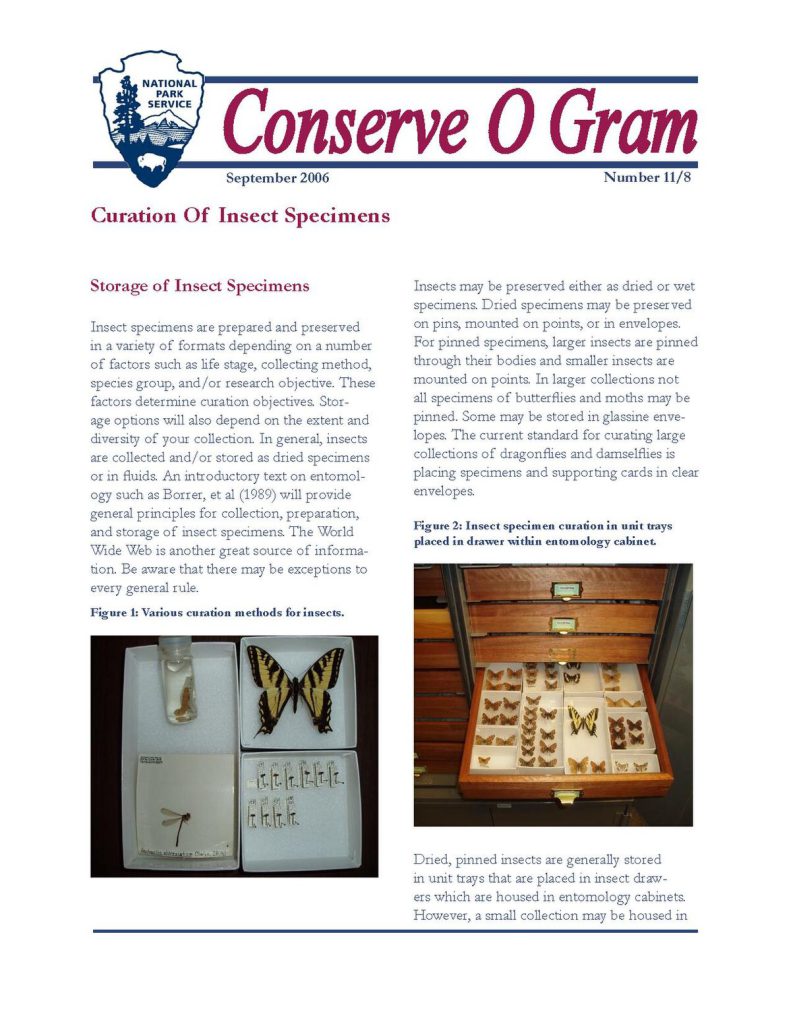
Conserve O Grams offer easy to use step-by-step information to care for your collections.


Caring for a private collection of historical material can be overwhelming, especially if you have not had museum training or do not have an archivist background. Things are much better this day and age though, because there are a number of resources available on the internet that can help you. Today, I’m highlighting one of the most prolific ones, the Conserve O Grams put out by the National Park Service.

The National Park Service has been releasing Conserve O Grams for decades, with the earliest dated issues on the website going back to 1993. According to their website, “The National Park Service Conserve O Grams are short, focused technical leaflets that provide practical and easy-to-use guidance on the care of museum collections. The leaflets are geared towards staff responsible for collections care and preservation. They cover procedures, techniques, and materials used in collections management, as well as care of different types of collection objects and materials. New topics are added as needed and out-of-date issues are revised or deleted.”

Here is an example of a Conserve O Gram issue. Usually only a few pages in length, a Conserve O Gram gives you short and to the point information in clear and easy to understand form.

Covering over 186 topics ranging from collection preservation of a variety of object types, to fire safety, pest control, and disaster responses, Conserve O Grams provide a wealth of information regularly used by museum professionals. While some topics may not apply to private collectors, all aspects of collections care and disaster responses do.

How many of you with archive collections have ever run across a rusty paperclip or straight pin holding documents together? Or found a rotten rubber band stuck to an ambrotype case (that’s a future Angry Archivist post)? This Conserve O Gram issue from July 1993 covers all those things and offers suggestions on removing them, what tools to use (and not use), and also councils you on why some fasteners (such as historic seals) should remain. You can see it here: https://www.nps.gov/subjects/museums/upload/19-05_508.pdf

How many of you know the proper humidity level for storing glass plate negatives and ambrotypes? How many of you have found ambrotypes with a flaking black varnish on the back? If you store these images with a relative humidity level of less than 30% those antique emulsions and varnishes will start to corrode and flake off. Learn about how to handle different types of photographs here: https://www.nps.gov/subjects/museums/upload/14-05_508.pdf

As collectors, one thing we love to do is show off our collection. There’s certainly no shame in that, and it’s really no different than putting on a museum exhibit in your own home. However, like a museum, it’s important to follow archival guidelines when displaying our treasure troves. This particular Conserve O Gram covers putting paper on exhibit and the proper mounting techniques. One very important thing to consider is that paper expands and contracts based on humidity. Therefore, it needs to be mounted in something that allows it to “breathe.” I’ve seen so many CDVs encased in hard plastic that does no favors whatsoever for the documents within them. “Once mounted, the document, art work, or photograph does not touch the framing glass or plastic, but is held apart from it by a window mat or spacer.” You may not wish to mount your documents or photographs as described in this particular Conserve O Gram, but the information contained within it on why you should not wedge something into hard plastic is very useful. You can find this issue here: https://www.nps.gov/subjects/museums/upload/13-04_508.pdf

When I took my first collections management class in college many years ago, I was first introduced to Conserve O Grams. I’ve referenced them countless times over the course of my career as a museum director and archivist, and I continue to reference them both professionally and personally as I maintain a large archive of documents at my home. I encourage any collector no matter how long you’ve been collecting to please comb through the various topics covered with Conserve O Grams and to consult them first with any archival questions you may have before asking Facebook groups for their input. All too often, those groups are full of well-meaning folks who want to help, but they are typically not professionally trained. I’ve got a lengthy list of stories of bad advice and bad care methods I’ve encountered over the years.  The more recent ones I’m chronicling on the “Angry Archivist” posts on this site.

You can view all of the National Park Service Conserve O Grams here: https://www.nps.gov/subjects/museums/conserve-o-grams.htm

I hope you find them as helpful as I have over the years, and I hope they are old news for many of you because that means you’re already using them! Which is awesome!

Angry Archivist: Is Sandpaper Archival?

The Angry Archivist: Is Sandpaper Archival?

The Angry Archivist returns with a question that I’m sure many collectors of Civil War memorabilia have been itching to know the answer to: Is sandpaper archival? I have to admit, sandpaper was not something I’d ever thought I’d run across when dealing with Civil War archives, but here we are.

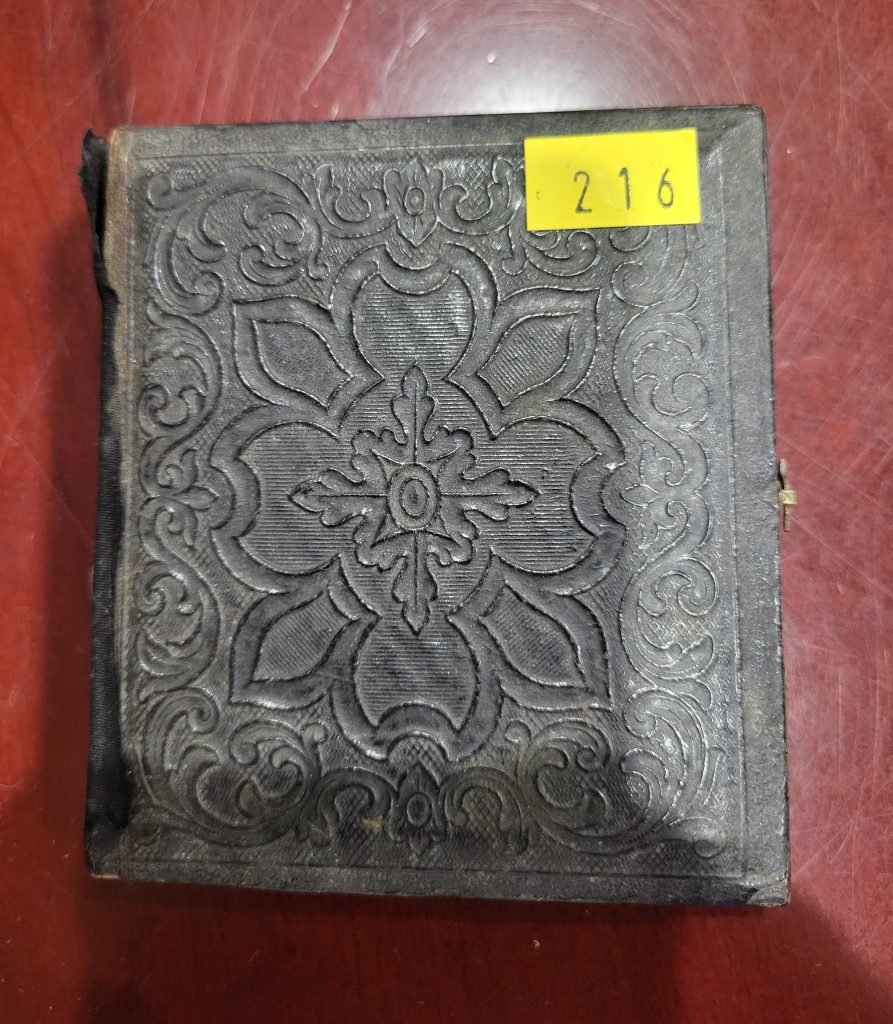
Here is a photo of the yellow "price tag" like sticker on the front of the ambrotype case.
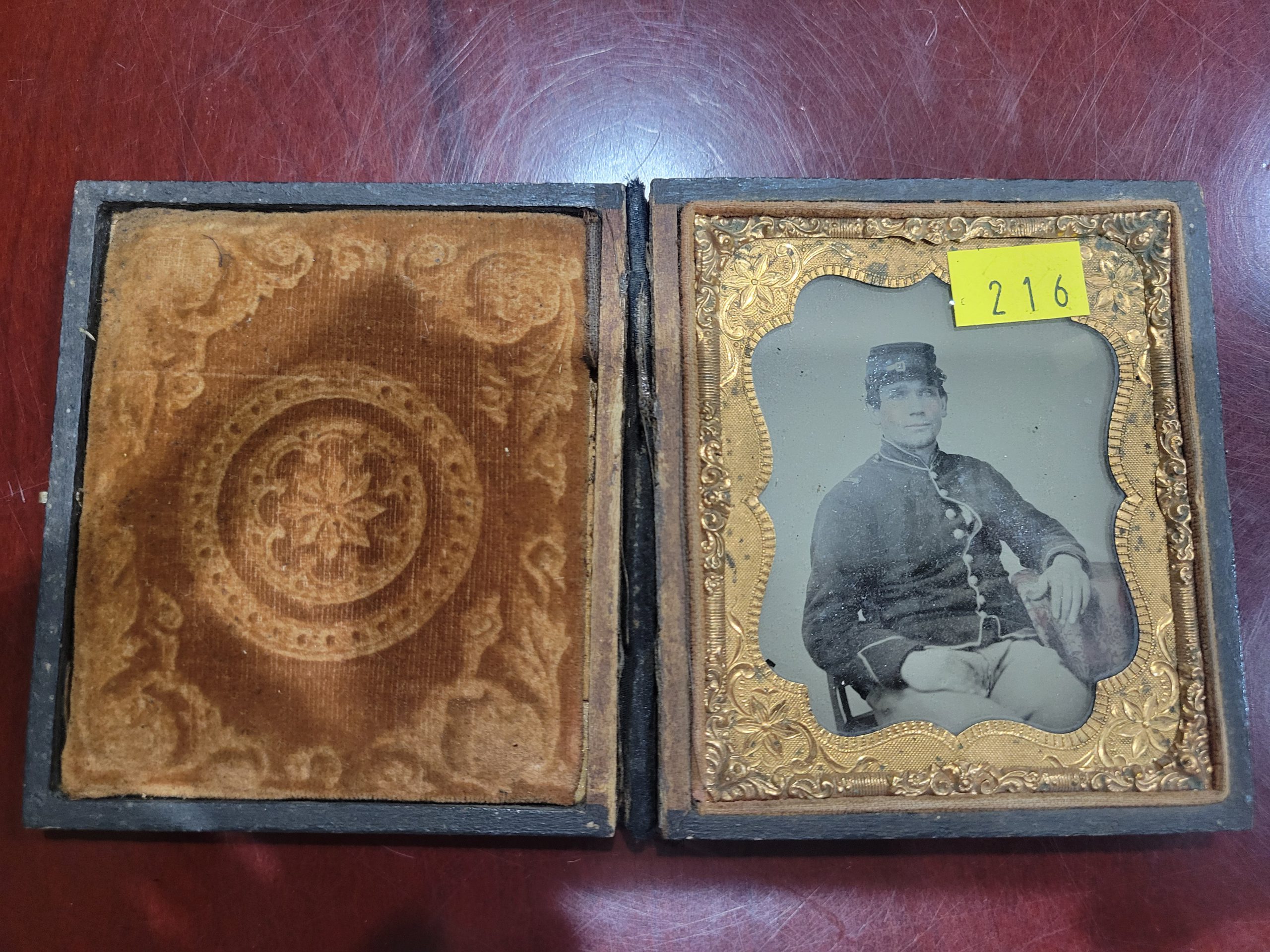
Here is a photo of the yellow “price tag” like sticker on the front of the ambrotype case.
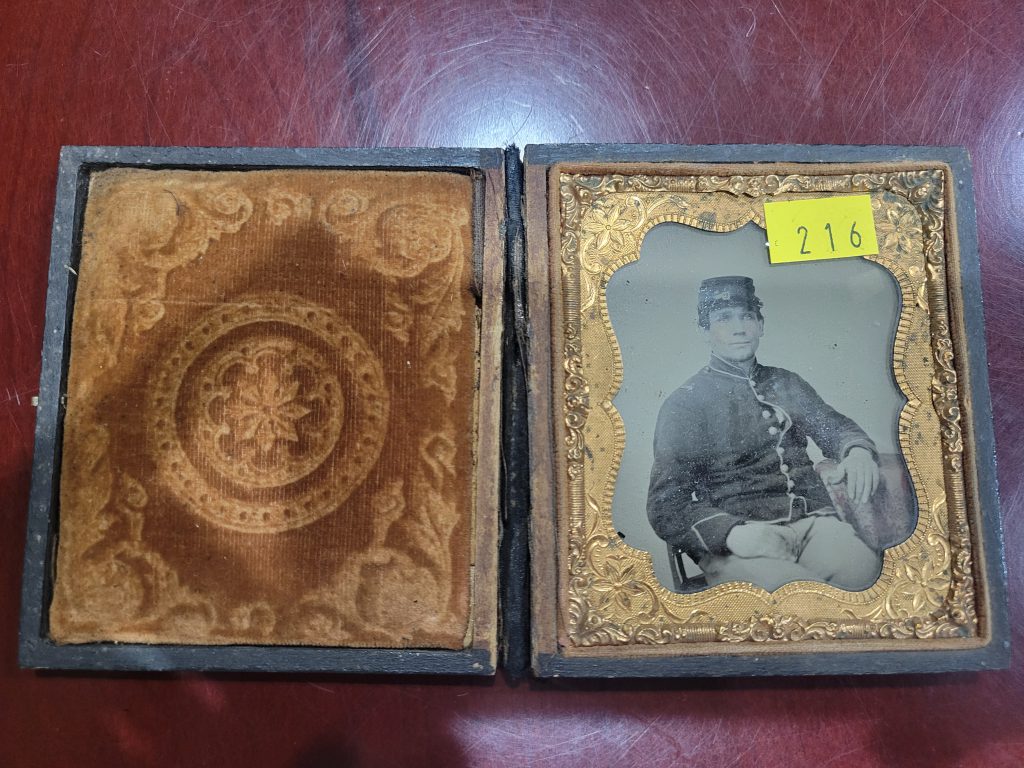
Here is the second yellow "price tag" type sticker on the copper frame and ambrotype itself.
Here is the second yellow “price tag” type sticker on the copper frame and ambrotype itself.
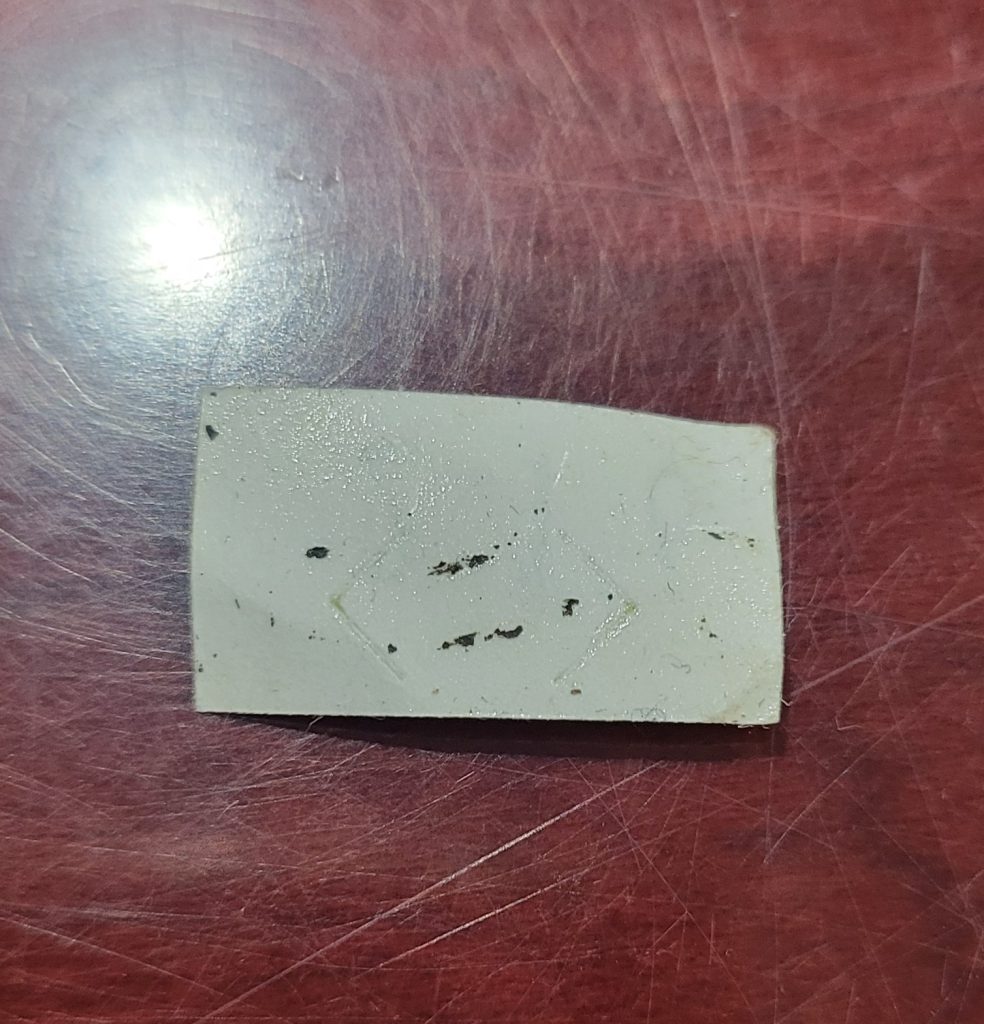
This is the back of the sticker that was on the front of the case. Notice that it pulled up some of the layers of the case material. These adhesives are not designed for artifacts--they are designed to put price tags on merchandise--and they do cause damage when used in this way.
This is the back of the sticker that was on the front of the case. Notice that it pulled up some of the layers of the case material. These adhesives are not designed for artifacts–they are designed to put price tags on merchandise–and they do cause damage when used in this way.

This week started out like any other. I sat down to scan a couple dozen Civil War images—tintypes, ambrotypes, CDVs—the usual. Then I spotted this image.  Notice the yellow “price tag” sticker on the case. My first thought was, “ugh,” but at least I can remove this. Then I opened the case and found the ambrotype inside with another yellow sticker on it. Double ugh. By the way, whoever is putting these stickers on cases—they do cause damage. They are not harmless. The adhesive is strong enough that it can peel off layers of the case and they can also leave behind sticky goo.

As much as these stickers annoy me, they are not the reason for this particular Angry Archivist rant. No, they were just the appetizer, if you will.

Now, for those not familiar with ambrotypes, here’s a bit of a backstory. Ambrotypes are made of glass and have a black varnish on the back of the picture which makes the image a positive and allows it to be seen properly. Over time, this black coating tends to flake off—not always—but it’s not uncommon to see that happen. If the black coating is gone, the image becomes very difficult to see. Collectors will often place a piece of black paper behind the image in the frame so that it can be displayed and the photograph is visible.

Once I’d removed the yellow stickers, I began to remove the ambrotype from the case and then from its copper frame so that I could scan it at high resolution on my flatbed scanner. As I was about to remove the copper frame, I found it. And if you were going to say, “Oh, she must have found the piece of smooth black paper that the previous owner/seller placed behind the image so it could be seen better,” you would be wrong. Very wrong.

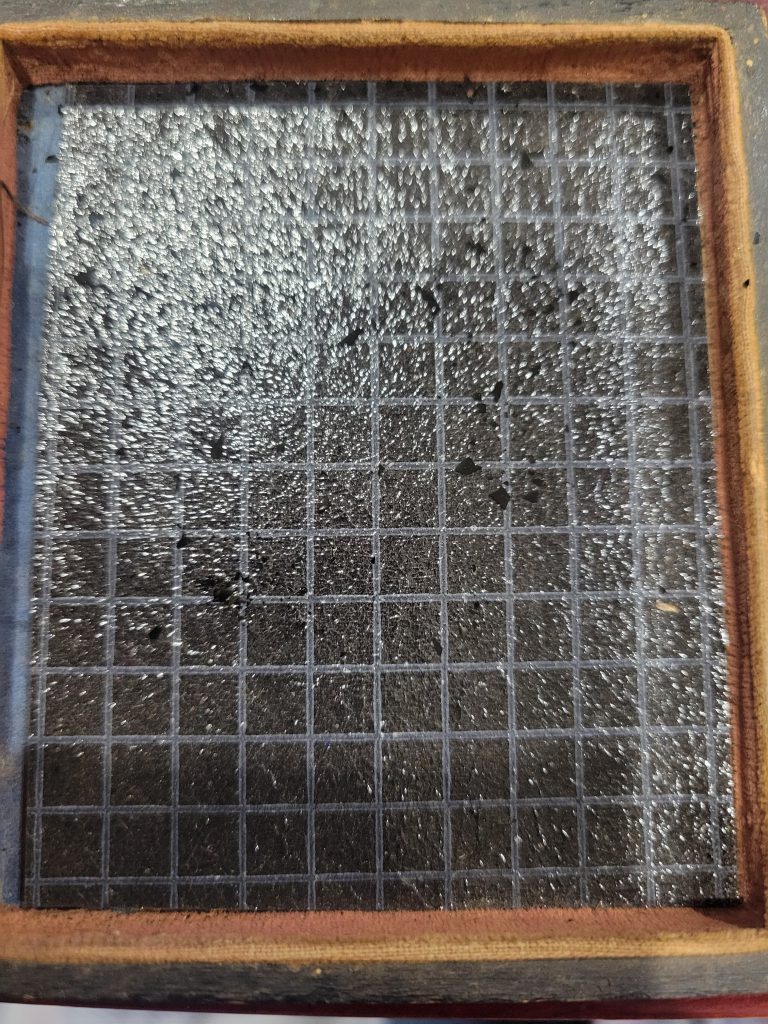
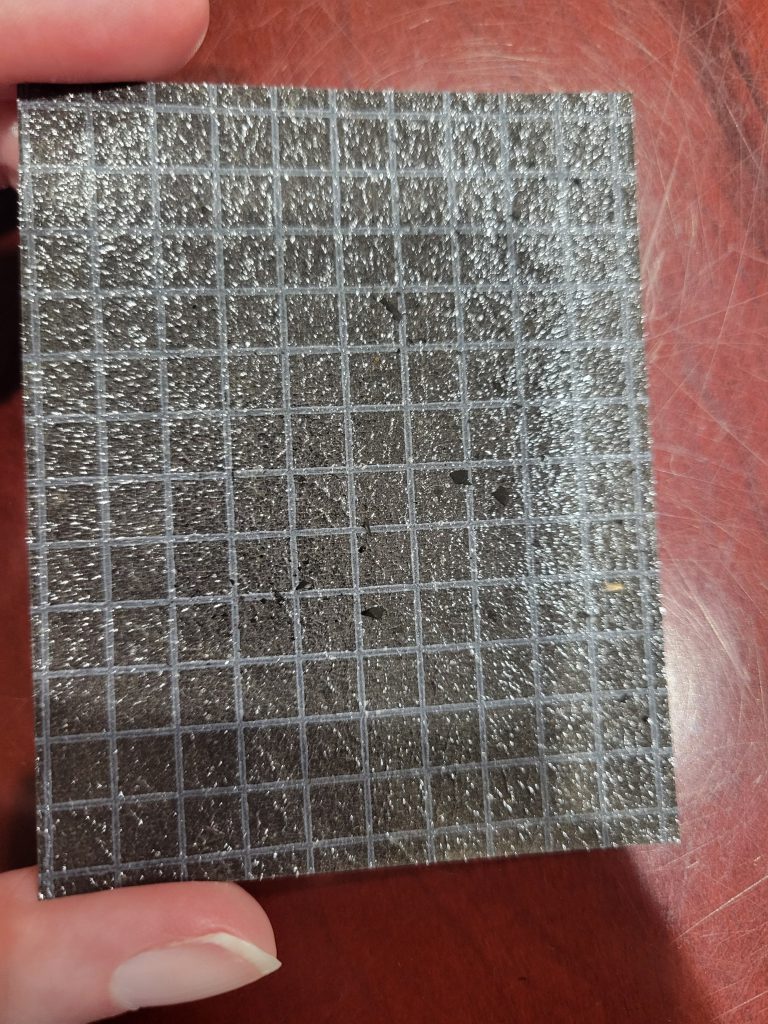
That’s right folks, I did not in fact find a piece of non-descript black construction paper, instead I found BLACK SANDPAPER. Thick black paper with a white grid pattern and a SANDPAPER TEXTURE. I like to think that I’ve seen a lot of crazy stuff in my nearly 20 years working in museums and archives, but I have to admit, this was a new one for me. A nice piece of gritty black sandpaper right against an ambrotype with its original black varnish flaking off. What could be better to put against something that is literally flaking off? Ugh.

The paper in question. Here is a photo of the black sandpaper like material cut to fit inside the case. Notice the specks of black material laying on top of it. Those are pieces of the ambrotype's original varnish that have flaked off onto the sandpaper.
The paper in question. Here is a photo of the black sandpaper like material cut to fit inside the case. Notice the specks of black material laying on top of it. Those are pieces of the ambrotype’s original varnish that have flaked off onto the sandpaper.

I have tried to find out what exactly this paper was. It does match some sandpaper that’s available online. It’s possible it was some other paper with a dried adhesive that is now just the texture of sandpaper. I can’t say for certain. What I can say, is that it has the texture of a medium grit sandpaper, is not sticky, and was cut to fit the frame and provide a black background for the ambrotype. Needless to say, the sandpaper was removed and discarded with prejudice.

Is sandpaper archival? No, no it is not! In this photo I tried to get a better view of the rough texture of the paper for you all to see. I am still shocked that I found this.

The Angry Archivist isn’t only about anger, I like to offer solutions too. My first piece of advice is that there is NEVER a situation where sandpaper is a good choice for an archive. Let’s just clear that one up right away. If you have an ambrotype that has lost some of its black varnish and wish to put something in the case with it to make it more visible, I would suggest a piece of archival black paper, like this: https://www.archivalmethods.com/product/black-gray-card-stock

The paper suggested above, and this black museum board are both archival quality and buffered. That fact that they are buffered will help neutralize the acid in ambrotypes, which makes them suitable for long term storage. Always pay attention to whether the archival materials are buffered or un-buffered, as some items can be damaged by buffered materials—such as cyanotypes, and high-protein materials like leather and silks. Buffered archival materials can actually damage those GAR reunion ribbons, and the like, so it’s an important characteristic to take note of.

If nothing else, I hope we have finally settled the question—is sandpaper archival? No. No it is not, and please for the sake of my blood pressure, do not put it behind your ambrotypes! Also, please don’t trace over original Civil War letters with ballpoint pens….

2 Methods for Digitizing Glass Negatives

Two Methods for Digitizing Glass Negatives

Digitizing glass negatives is a fairly simple process, and I will offer two methods you may find useful in this post. Last week, I talked about how to store glass negatives and gave some suggestions as to where to find the proper archival boxes specifically made for that. Once you’ve got the right storage materials, you can sit down and start digitizing. It is always important to have proper storage first so that artifacts are safe as soon as possible. Digitizing can be a project depending on how many glass negatives you have, and you may need to spread out the process over a few days.

First Method: Scanning

If you have a home scanner with a “transparency” setting, you may have very good luck scanning your negatives. If your scanner does not have a “transparency” setting, you may be able to scan some negatives, but if they are dark, they scans will likely not pick up the image very well.

To scan a glass negative, put on latex or nitrile gloves, and make sure the glass bed of the scanner is free of any dust or lint. Then make sure that the negative itself is free of dust and hair—you can use a blower to do that without harming the emulsion. Be VERY careful when brushing off debris on the emulsion side. The emulsion can rub off, which is why it is best not to brush that side. An archival dust blower is perfect for getting dust off without ever touching the glass and can be used on other items in your collection as well.

Once the scanner and glass negative are ready, place the negative emulsion side down onto the glass. Now, and important note here, is depending on your scanner’s point of focus, the image may be clearer with the emulsion side up—however, that runs the risk of creating distortion “rings” in the scan. You may need to try a negative both ways to see which turns out the best with your scanner.

Once the negative is on the glass, gently close the lid and take a look at your scanner settings. It is best to scan images at 600 dpi, although if you want to scan them higher, you certainly can. The best file format to save in is a TIF so that as much detail as possible is saved. This creates a much larger file size, but it also provides the richest data file. A JPG or PNG will compress the image, making a smaller file size, but also saving less information.

Second Method: Photographing with a Lightbox

This method is somewhat “old-fashioned”, but it will work well for glass negatives—especially if your scanner does not have a “transparency” option for scanning darker negatives.

Here you can see a glass negative sitting on the right kind of lightbox. This one courtesy of the now extinct photo lab I used to work for...
Here you can see a glass negative sitting on the right kind of lightbox. This one courtesy of the now extinct photo lab I used to work for…
Here is that same glass negative on one of the modern LED light tablets. Notice the black dots all over on the screen. As you can see, these cheaper alternatives are NOT usable for photographing glass negatives!

The first steps are the same as with the scanner—make sure your lightbox and negative are free from dirt and debris, and make sure you are wearing latex or nitrile gloves. Then place the negative on the lightbox and photograph it. One important note here is to be careful of the lightbox you are using. I used a large lightbox that I saved from the old photo lab I worked at that shut down almost 20 years ago. It still works like a champ! But there are new LED ones available online that when they light up, actually create a dot matrix pattern. You do not want one of those LED ones because the black dots will show up in your photograph of the negative.

In this example I used both my cell phone and a Canon EOS Rebel camera to photograph the negative. The cell phone picture came out rather well, although it is in the JPG format. The camera also did very well, but it takes some practice to make sure that you photograph the image squarely from the top looking directly down so that you don’t end up with a slightly distorted picture.

Processing Your Picture

Once you've scanned or photographed your negative, you will end up with a negative image similar to this. It will need to be processed in a photo editing program so that you can see the image properly.
Once you’ve scanned or photographed your negative, you will end up with a negative image similar to this. It will need to be processed in a photo editing program so that you can see the image properly. This particular image was taken with my cell phone while the negative was sitting on the lightbox.

Once you have your digital file of the glass negative—whether from scanning or photographing—you’ll need to process it in some kind of photo software. You can use Adobe Photoshop, or any other myriad of photo editing programs to do the basics of what we need to do here. I use Affinity Photo for these types of edits.

Open the file in your photo editing program of choice, and then add a layer, and select “Invert.” This will invert black into white and white into black so that you have a positive image, rather than a negative. Once you do this, you will likely need to edit some of the black and white levels. This can be done by adding another adjustment layer and selecting “levels.” By adjusting the black and white levels on the histogram that pops up, you will be able to create a more natural looking image with proper color balance.

An important note here is that some images will be naturally dark and naturally light. Just like back in the “old days” when we’d take pictures with a roll of film, sometimes they were over or under exposed. In that case, there is only so much editing you can do with a photo program to get the best image.

Here is the finished processed image. This is the processed version of the cell phone picture taken above. More work could be done on adjusting the white balance and so on, but this gives you a good idea of how the process looks from beginning to end.

Once you have a finished image you are happy with, you can save it as a new file as a TIF or a JPG—whichever you prefer for your use. I always keep an edited TIF on hand and use a JPG for posting online or sharing via email since the file size is so much smaller.

I hope that this brief walkthrough helps give you some pointers on digitizing your glass negatives!

How to Handle and Store Glass Plate Negatives

In this blog and the next entry, I’ll be going over how to handle, clean, store and digitize your glass plate negatives. Properly caring for these negatives is important to ensure that they continue to survive for decades (and centuries) to come, and so that the image emulsion is not inadvertently damaged by improper storage and handling. Please also consider cataloging your negatives as you go through this process. A related blog entry on cataloging can be found here.

If you’re starting an extensive archive of 19th century archives that includes photographic material, you will likely eventually run into glass plate negatives. These are different from tintypes, ambrotypes and daguerreotypes. There are two types of glass negatives: wet collodion (used between 1855 and late 1880s) and gelatin dry (used from the late 1880s to the early 1920s). The main difference between the two is that the wet collodion glass plates would need to be prepared by the photographer and immediately exposed and then processed by the photographer, all while remaining wet. The invention of gelatin dry plate negatives allowed the photographer to prepare the glass plates in advance before exposing them to light. By the 1880s ready-made gelatin dry plates were available for purchase to photography studios and amateur photographers alike. By the 1920s these plates were being replaced by dry gelatin paper negatives and flexible celluloid film rolls.

How NOT to Store Glass Plate Negatives

Glass plate negative
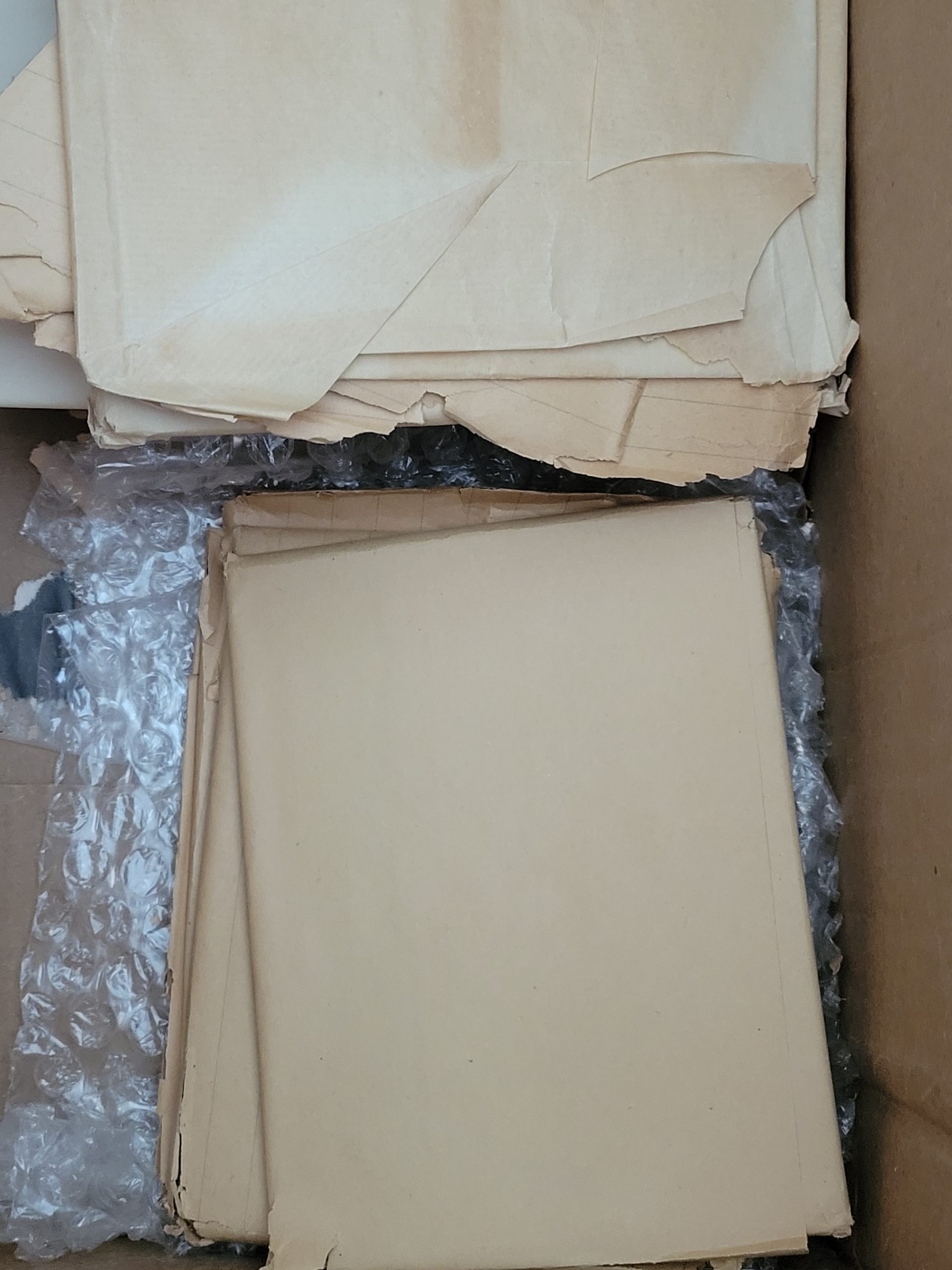
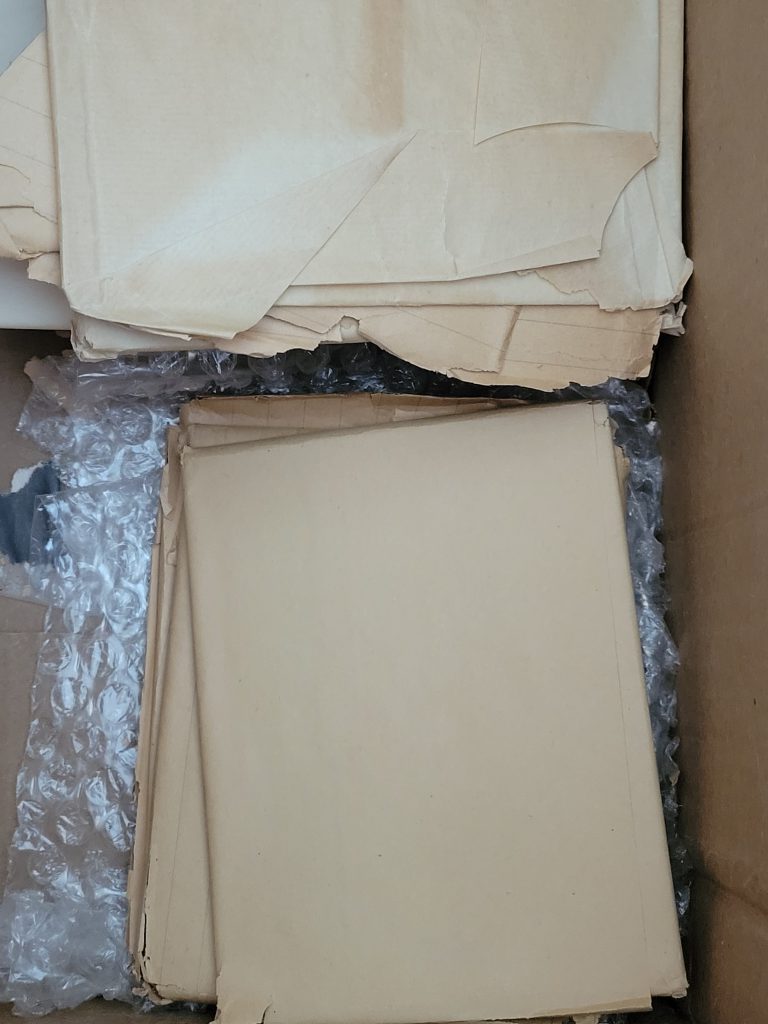
Here is an example of how not to store glass negatives. Although, it is fantastic that they were at least wrapped, as it could have been much worse. Finding glass plate negatives in this state is not unusual, as this is how families kept them and over time they have just stayed this way.

In all honesty, coming across a batch of glass negatives in this situation is not the worst-case scenario. They are at least wrapped and somewhat protected from the environment and each other, which far beats them just scattered loose in a box without any protection. Still, this is not ideal.

How to Store Glass Plate Negatives Instead

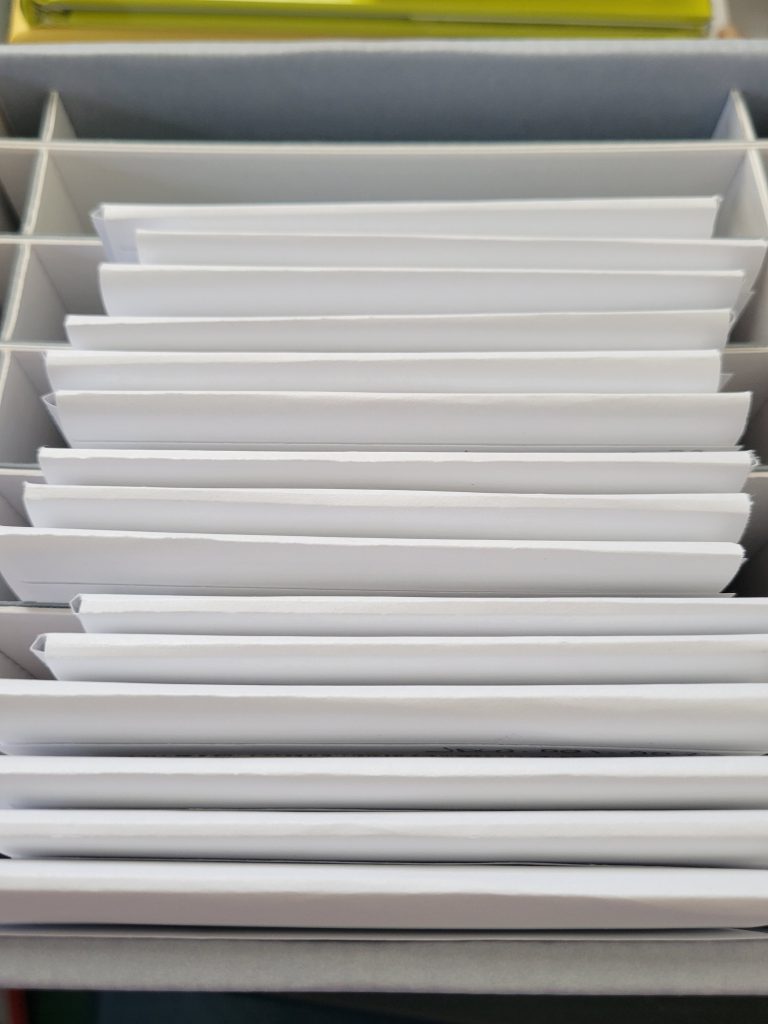
This is an example of glass negatives in protective archival sleeves stored in an archival box designed to house glass plate negatives. These boxes come in all sizes to house different sized glass plate negatives.

Here you can see some glass negatives in protective sleeves inside an archival box specifically made to house them. These dividers accommodate 3-4 plates (depending on thickness) in each pocket. Now, special note here: I have these plates sitting vertically in this picture. This is because I am in the process of digitizing them and it allows me easier access to remove each plate. For proper long-term storage, these plates would be turned onto their long edge so that they would fit snugly between the dividers of the box.

There are a few archival businesses who sell specially made glass plate negative boxes and dividers. The one seen in the photographs here is from Talas and can be purchased here. You will need both the box and the folding protective sleeves.

Important things to Consider

  • You will want to wear gloves when handling these negatives. You don’t want to run the risk of getting fingerprints on them or scratching the emulsion. However, cotton gloves can snag on the emulsion (especially if it is already flaking) and they also can make your grip slippery, and dropping a glass plate negative would be very BAD. Instead of cotton gloves, use latex or nitrile gloves that have a more rubbery texture.
  • The emulsion side of the negative is EXTREMELY fragile. It can scratch off, be washed off, and even just flake off over time. Be extremely careful when handling and do not handle the negative where that can be damaged. Grip it from opposite edges, like you’d hold a CD, do not place your fingers on the emulsion.
  • Your negative may discolor over time. This is natural and due to the chemicals involved. Wet collodion plate negatives tend to turn brown or have a sepia tone due to the varnish that was applied to them. Gelatin dry plate negatives were sometimes varnished and can have a purplish tone but usually have a grey or black image tone.

Cleaning Your Glass Plate Negative

Ideally, this is something that should be done by a professional, but I know there are some antiques dealers and collectors (I’m not pointing fingers…) who can be a little brazen with their attempts to “spruce up” their collectibles, and I’d rather provide solid information for those who are going to forge ahead anyway, instead of not including it.

This is important and also very risky, as you do not want to damage the negative in the process. Do not attempt to clean the emulsion side with any liquids, chemicals or solvents.

The West Virginia University Library outlines a good step-by-step process to clean the glass side (non-emulsion) side of a glass plate negative using ONLY distilled water. If you choose to do this, please follow their steps closely and carefully in order to avoid any unintentional damage.

As opposed to doing this yourself, you may find that your local museum or university archive may be able to help you—or may even help clean them for you. In the next post I’ll go over how to digitize your glass plate negatives and that is also something that your local museum or archive may also be able to assist with.

The most important thing to remember is to not do anything that is irreversible—in other words, don’t wash off the emulsion! And always remember to ask questions if you are unsure of what to do. There are resources available online and also locally at museums and archives who can help you.

Angry Archivist: Taping a Tintype

In my last “Angry Archivist” post I complained about someone who traced over an original Civil War letter with ballpoint pen and taped it, and today I’m extending that complaint to folks who tape historic photographs–specifically, taping a tintype.

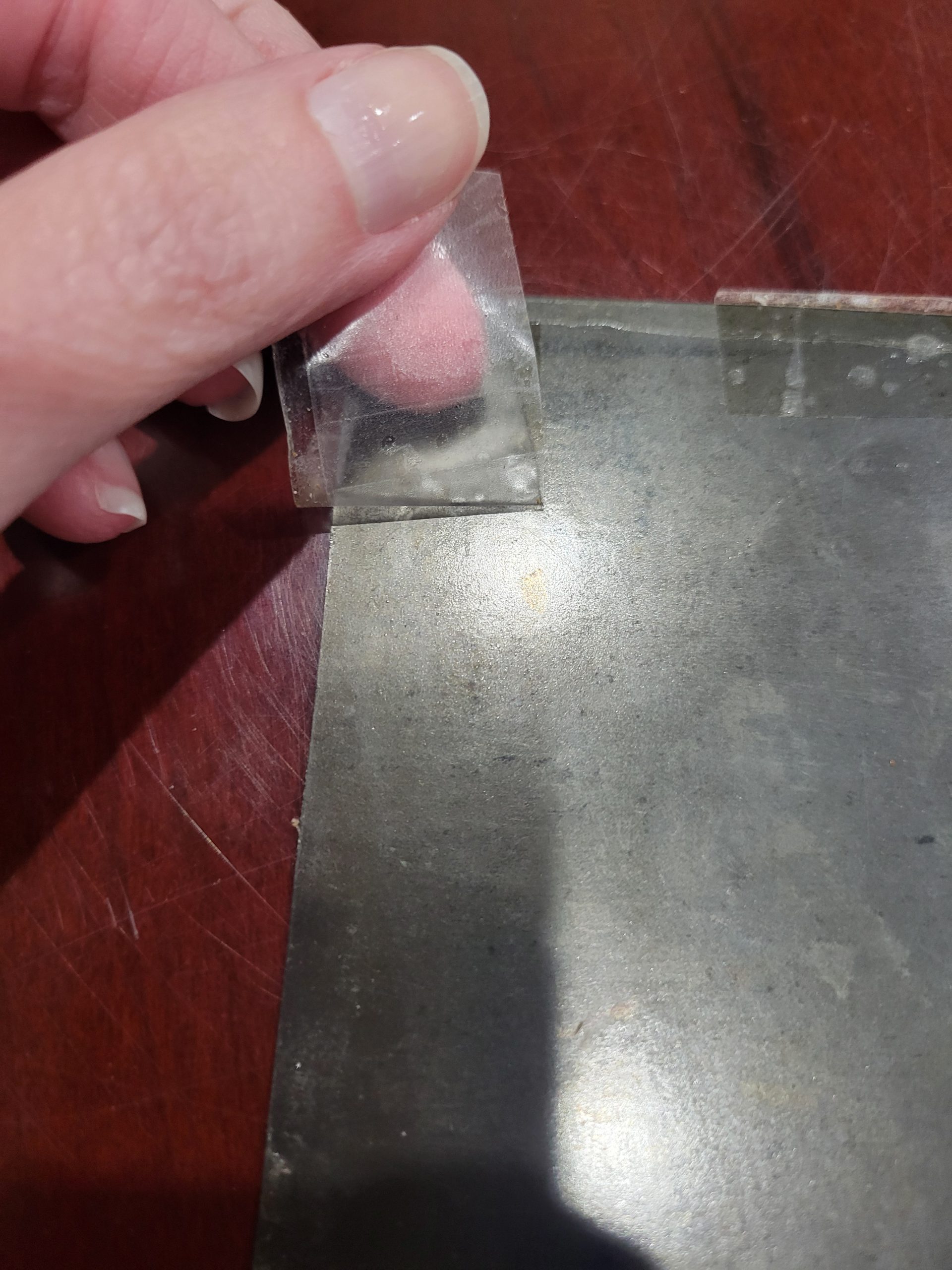
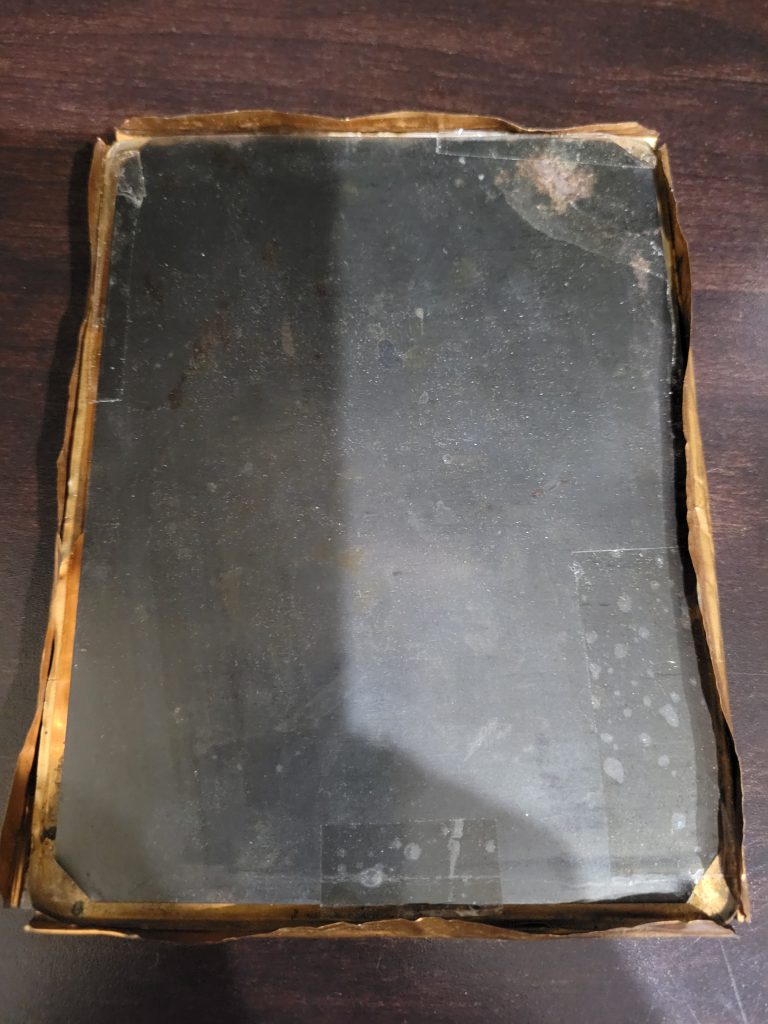
Here you can see how someone used packing tape to secure the tintype image into the copper frame. Finding things like this makes me an Angry Archivist...please don't do this!
Here you can see how someone used packing tape to secure the tintype image into the copper frame. Finding things like this makes me an Angry Archivist…please don’t do this!

Just this week, while processing a new batch of photographs to add to the Research Arsenal database, I was horrified to find an extremely valuable tintype taped into its frame. Now, I understand whoever did this was probable trying to prevent it from sliding inside the copper frame, but tape is not the answer, my friend.

Not only was this tape, it was PACKING tape. This stuff is great for mailing boxes, and other uses where it is not designed to be removed without leaving a trace. It is not designed to be used to secure artifacts to frames. I guess I should be glad it wasn’t duct tape—it could have been worse!

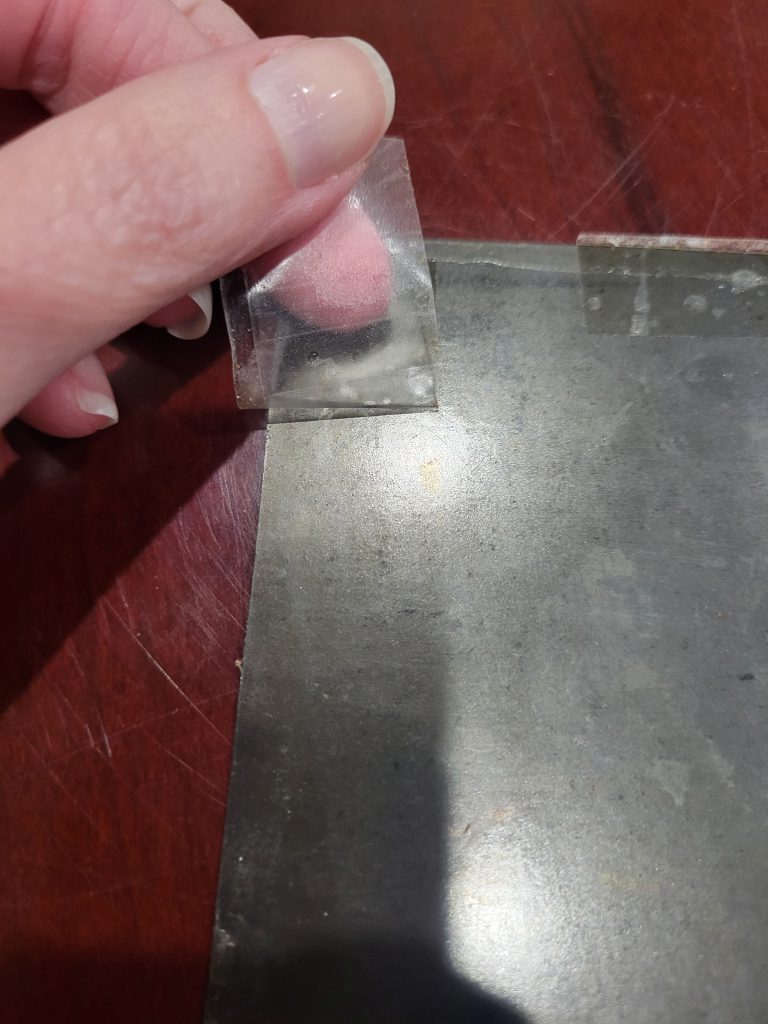
"Action shot" of slowly peeling the packing tape from the back of the photograph. This is not something you want to end up having to do!
“Action shot” of slowly peeling the packing tape from the back of the photograph. This is not something you want to end up having to do!

Luckily, I was able to peel off the tape by going very slowly and only had to deal with gummy tape residue in a couple spots. The residue rubbed off gently without the need for additional methods likely indicating that the tape was applied recently. Typically, the older the packing tape, the more gooey it is when you try to remove it. And it’s sad that I know that because that means I’ve removed more packing tape from artifacts than I’d like to admit.

When I first posted about cataloging your collection and the different ways to number your items, the first rule I hammered home was to make sure that whatever you are doing with your items is reversible—don’t write on them when Sharpies, cut them, thumbtack them, etc. Applying packing tape to them is one of those things that can cause permanent damage.

Using Polyethylene Foam Instead

Now, I understand that collectors like to display their tintypes and sometimes the images are loose in their frames. I’m not just going to beat folks up for doing the wrong thing without offering a solution. If you are having this problem, I recommend investing in some Ethafoam or Volara foam.

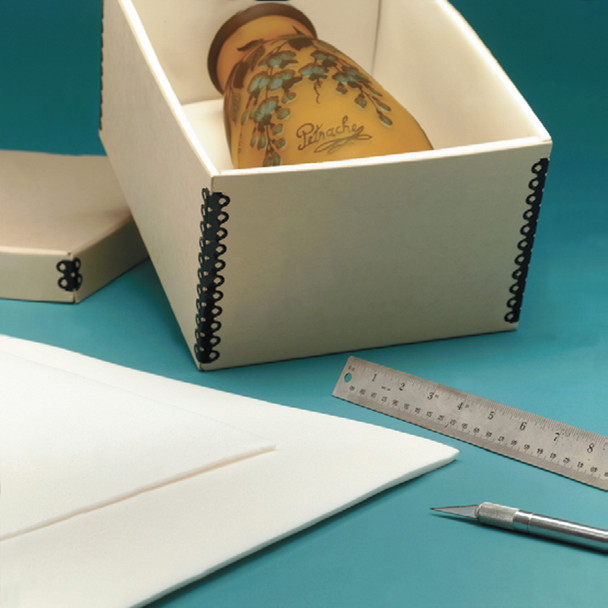
Here is an example of using Volara foam to cushion boxes, the same way that you can use it to cushion the point of contact between the copper frame and the tintype.
Here is an example of using Volara foam to cushion boxes, the same way that you can use it to cushion the point of contact between the copper frame and the tintype. This pictured foam can be found here.

Ethafoam (or Volara) is a closed-cell polyethylene foam that is inert, waterproof, fantastic for cushioning, and comes in a variety of thicknesses. You can buy a block of it and carve it to cushion a large 3D artifact, or you can buy it in sheets, which is what you’d want to do in this case.

Using a thin sheet of polyethylene foam (about ¼ inch thick) cut it into a small strip to fit between the folding edge of the copper frame and the tintype itself. This will essentially give the tintype a little extra thickness to ensure that the frame can hold it in place. The foam will not damage the tintype in any way, in fact, it will prevent any scratches from the copper onto the back of the image.

An important thing to note is that you MUST make sure that the polyethylene foam is inert and appropriate for long-term storage. There are a number of low-cost polyethylene foam options available online, but they are for packing and shipping, not archival use. Look for brands like Ethafoam or Volara and check the item descriptions to ensure that they are safe for long-term use.

If you have fragile artifacts, you can use this foam to line their storage boxes for extra protection. You can use it to line the display shelves that your artifacts sit on, and you can use it to cushion between artifacts in boxes. It is a very useful collections care item to have on hand.

In a pinch, if you do not have foam or are unable to purchase some, I would recommend using archival tissue to do the same thing. You may need to fold some tissue several times on itself to make it thick enough, but this will also work and will not cause any damage to the image or leave any sticky tape residue.

As much as I don’t like to find these archival faux pas in my work, I am happy to take the opportunity to provide a little education and hopefully stop a future incident happening. Remember, in the world of archives, packing tape, duct tape, or scotch tape is never an option! It may be tempting as an easy fix, but it’s never a good choice!

3 Simple Tips to Protect Your Archival Collection

Sometimes following museum best practices with your collection can seem overwhelming. Here are 3 simple tips to protect your archival collection that you can do quickly, easily, and affordably.

Use Archival Folders

These Pendaflex folders from Staples are acid-free and would be an easy option for archival storage. They can be found here.

If you’ve gotten into collecting Civil War history, you’re likely to start winding up with a lot of paper. This ephemera could be CDVs, military documents, old newspaper articles, etc. Some of these may end up on display somewhere in your home, but if they are not, they need to be stored. It may be tempting to just stick them in a box for safekeeping, but that is not the best idea.

Placing these historic documents in archival folders is a great cost-effective option because it allows you to protect the documents while also keeping them organized. Archival folders are becoming much easier to find nowadays. Instead of ordering them from museum supply companies, you can often find them at your local Walmart or Staples store. They tend to cost a bit more, but in the long run they are worth it. Non-archival materials will damage your documents over time. They tend to be acidic, which means they will turn papers yellow and eventually crumble them away.

We’ve all seen an old, yellow crumbly newspaper, right? The reason that the newspaper is yellow and crumbly is because it was printed on very acidic paper. Dime store paperbacks from the 1950s and 1960s are often yellowed as well for the same reason. Acidic paper is cheaper and is often used by printers when longevity is not a priority. Now, have you seen a paper turn yellow because it was stored next to a newspaper? I’ve seen this happen countless times in shoe boxes of old papers that folks tend to keep. The newspaper clippings are acidic and so any paper they come into contact with is also yellowed and damaged. That is exactly why we want to use archival folders to store our documents. We don’t want them to turn yellow because they were stored inside an acidic folder.

Use Acid Free Paper

Easy to find acid free paper for your archival collection
This paper is extremely low cost and available locally in Walmart stores. It is acid free and suitable for archival purposes. This paper is a great low cost option for interleaving. It can be found here.

Now that you’ve got some archival folders, you’ll want to get a ream or two of acid free paper. You can store multiple documents in the same folder, but you’ll want to separate them with acid free paper. Use the paper as interleaving between the documents.

Let’s say you have 5 papers that all relate to the same individual and you would like to store them in a folder together. You can store the first document in the folder, then a sheet of acid free paper, the next document, a sheet of acid free paper, and so on, until you’ve placed them all in the folder. This ensures that the papers are not rubbing against each other and transferring ink or dirt, and they are also protected from any potential acid transfer. Now, this is something that you will need to check on. If you have a folder full of newspaper articles, that acid in those newspapers may leach through the interleaving eventually, so you may need to replace it periodically.

Acid free paper can also often be found locally very easily at any office store or big box store.

Use Archival Photo Sleeves

These are archival products that I really can’t live without. I use these for photos and also for any important documents. These sleeves give paper artifacts and an extra layer of protection. For reference, I prefer the side-locking sleeves that I’ve mentioned in previous posts, which can be purchased here.

Here is an example of one of those hard plastic sleeves. Notice how this is only a narrow opening available to slide media in and out and how it takes a great deal of pressure to open. Compare that to a sleeve that lays completely flat, opens up for your to place your document inside and then folds back over. These may have value for dealers who have people sifting and sorting through their wares on a regular basis, but these have no place in a private collection for long term storage of fragile documents.

I have had CDVs shipped to me in rigid plastic folders that I CANNOT STAND. I’ve also seen a lot of collectors keep their CDVs in these same hard plastic holders that are only open on the top. I hate these for several reasons:

  1. You have no idea if they are archival or not. Just because an antique dealer shipped you a photo in it, does not imply that it is safe to continue to store your item in it.
  2. They are rigid and the document is held inside by force. This is not a good way to store archives. You don’t want pressure on the document because that harms it over time. Think of any video you have ever seen of an archive or museum collections room—are ANY of the artifacts stored in things that squish them, press down hard on them, or force them in any way? No.
  3. Because they are so rigid and only open on one side, it is much more difficult to remove the document from them and also difficult to place them back inside. Yes, we all have our little tricks to pop them open a certain way, use a thumb to press down and slide them out, etc. Again, where have you ever seen anything like that done in a museum collection? It’s not. Typically, these cards are used to store CDVs, although I have seen them used with tintypes, which is a whole other issue…CDVs are basically REALLY old cardstock with an image printed on it. It should be handled delicately because each time you remove it and put it back, you are damaging it. Period. No matter how good you think you are at getting them in and out. The very fact that you have to grab the image with your thumb to pull it out, damaging it. Period images should be handled by the edges just like how you’d handle an “old fashioned” CD. Remember how sacrilege it was to get fingerprints on a CD? Think of that when you’re handling those CDVs and tintypes. You can’t handle them by the edges and use those rigid plastic holders that are only open on the top. For that reason alone, they are not good for these collections. Not to mention rubbing on the images, damaging the prints, etc.

If some of you would like to keep your images in “pockets” I would recommend looking into archival sleeves that are designed to hold images safely in binders, or even small archival books designed to hold images. I use these notebooks, place the images on the paper using archival photo corners, and they are safe inside the book without any pressure on them, and they can easily be removed if I need to rescan them for any reason.

Bonus Tip

Always, always, always scan and digitize your collection! If you don’t have one, invest in a simple scanner that can scan at least 600 dpi and scan all your photographs at that resolution to start. Documents can be scanned at 300 dpi and be easily read and enlarged clearly. Once you have your collection digitized there is no reason to be pulling old photos in and out of sleeves, documents in and out of folders, etc. You can easily look at them digitally and ensure that their condition is not degrading as you keep handling them. No matter how careful you are, every time a document is handled, its condition degrades. That’s a simple archival fact. So, the more we can minimize that, the better! And as an extra tip, please consider setting up a digital catalog system like I discussed in a blog post a few weeks ago here! All of these tips will go a long way to protect your archival collection!

How to Label Your Collection

Last week we discussed how museum and archive numbering systems work, and this week we are going to discuss how to label your collection. This is a relatively straightforward process, but there are a few key things to keep in mind as you go. The main rule of thumb is that however you add your catalog number to your object or document, it is done in a non-permanent way. In other words, don’t pull out the Sharpie and start writing all over your things! Sadly, I have seen that happen in museums, and that’s definitely something we want to avoid!

How to Label Your Collection: Writing Directly on the Document Vs. Archival Sleeves

When you’re working with paper or photographic archives there are two schools of thought with regard to how they should be numbered. Some folks will write VERY lightly in pencil the catalog numbers on the bottom right (or left) corner of the document—typically on the back. This way the writing is not visible from the front if it is on display, the writing is reversible because it can be erased, and the size of the writing is very small so that it is not intrusive. This method can work for relatively modern documents. For example, if you have someone’s 1980s era research notes that you are adding into your collection you may choose to number it that way. For Civil War era paper materials (including CDVs), I would hesitate to use this method, simply because the documents are often very fragile—and in some cases disintegrating—to the point that should that number ever be erased, doing so would likely destroy the paper. The advantage of lightly writing the number in pencil on the document directly ensures that it will never be separated from the number. If using this method, do not use a mechanical pencil as it is often too sharp and can damage old paper or leave an imprint that shows through the front. Use a 2B soft leaded pencil, sharpen it, and then use a piece of scratch paper to soften the tip of the lead so that it is a bit duller. The below video shows how to mark papers, photographs, and books using this method.

Personally, the method I prefer (and the one we use at the Research Arsenal) is to write the number on the clear archival sleeve that protects the document. This ensures that the document is not directly affected by the writing. Should the number ever need to be changed it only needs to be placed in a new sleeve with the correct number. You can use a fine point Sharpie to write on the sleeve and the ink will not smear. Be sure it has dried completely before you place a document inside just in case the document touches the ink.

Here is an example of writing the catalog number directly on the archival sleeve.

If your documents are digitized (which they all should be eventually) then there will be minimal need to handle the original documents in the future. If you want to read through them or look up something with them, you only need to use the digital scan, rather than handling the original document which can further degrade it.

How to Label Your Collection: Tagging Objects

How to tag your collection, artifact tags
This is an example of a museum artifact tag sold by Gaylord here.

In this case, I am going to include tintypes (in cases) and ambrotypes as objects as opposed to archives simply because they are not made of paper material. Anything not made of paper will typically fall into the object category and use tags. Tintype photos not in cases can be safely stored in archival sleeves and can be numbered using the above method of numbering the sleeve.

Objects will need an archival tag which consists of a small square of archival cardstock strung on a loop of archival string. These come in all sorts of sizes and shapes and can be used on a variety of objects. They are also easily removed if need be and can be arranged in such a way that they are not obtrusive if the object is on exhibit.

To use a tag, you will want to write the catalog number on the tag and if there is room, a one- or two-word description. A tag for a M1851 Colt Navy Revolver might look like “2025.002.0014 M1851 Colt Navy Revolver” and that’s it. You can shorten or lengthen in to your preference, the intention being that it allows you to easily identify what item the tag goes with, should it become separated, and also so that you can easily identify what the object is without needing to look it up. To write on the tags you can use the fine point Sharpie again.

You’ll want to loop the tag around the object in some fashion so that it is unlikely to fall off. In the above example of the Colt Navy Revolver, you could loop it around the trigger guard. For objects that don’t have an obvious way to loop the tag, you’ll have to get a bit more creative. You can tuck the tag inside the case of a tintype, loop it around a buttonhole, tuck it in the band of a hat, etc. It will vary from object to object. No matter what the object is and how difficult it is to find a way to secure the tag, do NOT tape, glue, or otherwise use adhesives to attach it. If you are working with small objects, maybe say, Minie balls, you may wish to keep them in a small Riker mount and then tag the mount or keep them in a small archival box with the tag inside the box. The most important thing to consider in all of this is that what we are doing does not have any permanent effect on the object.

I’ll leave you with this link to some “horror stories” of museum numbering fiascos that you may find entertaining. Whatever you do, don’t do what these folks did! https://world.museumsprojekte.de/how-not-to-number-objects/

How to Set Up a Catalog Numbering System

Last week we looked at how to catalog your collection and the software available to do that. This week, we’re looking at how to set up a catalog numbering system and the kind of information we want to prioritize in our collections, whether it’s for our own personal reference, for other people to use after we’re gone, or insurance purposes.

Catalog Numbering Systems

If you’ve ever visited a library—I am assuming everyone has (if not, go to a library!) —you’ve no doubt seen a very prominent numbering system in use. The Dewey Decimal system allows libraries to organize and catalog books using a numeric code. Each prefix in the string of number indicates what subject matter the book relates to. Additionally, each call number has additional numbers indicating where the book falls in relation to that subject and author information. All of this is contained in a simple numerical code! The Dewey Decimal system dates back to 1876, and although it has been updated over the years, it is still in use in libraries today.

Dewey Decimal system graph
This chart shows the categories and numbers connected with the Dewey Decimal system.

If you visit a museum, you may see a similar string of numbers on various artifacts. Sometimes the numbers are also included on the signage within the exhibits. These catalog numbers are very similar to the call numbers on books in libraries, however, there is no standard in catalog numbers that is used by all museums. Typically, these numbers will be in a trinomial system, which each section representing a specific data point. For example, a catalog number of 2024.003.0001 would be broken down into: 2024 meaning the year the item was acquired, .003 indicating it was the third collection of items to be acquired, and finally, .0001 would mean that this object is the first item in the collection. For a museum that routinely acquires donations of materials this system works very well. For a private collector, who is acquiring items often one or two pieces at a time, this may not work as well, as the number of collections (middle number) in any given year could grow very large.

Therefore, it may be more reasonable to modify this number system and use the middle number to track the source on a market basis rather than by individual person. For example, using the same number 2024.003.0001, the first number would still represent the acquisition year, but .003 would now represent “eBay,” and .0001 would represent the first item purchased from eBay that year and added to the collection. In this system, you may have various numbers that would retain the same meaning regardless of the acquisition year.

2025.003.0013 would simply mean the item was acquired in 2025 from eBay and that it is the 13th item from eBay that year. Your additional secondary numbers could represent donations, garage sales, specific auction houses (Fleischer’s, etc.) you regularly purchase from, and individual people you regularly trade with, or from whom you have received a large collection.

  • .001= Donations/gifts
  • .002= Garage sales/flea markets
  • .003= Ebay
  • .004= Fleischer’s
  • .005= Joe Smith

Once you have this key, it is easy to add more numbers to it as you go if they are needed. If you start buying a lot of items from another auction house, for example, then you simply add that new venue in as .006.  The rest of the system stays the same, as the first number is always the year of acquisition, and the last number is always the number of the individual item.

Example of a trinomial artifact numbering system.
Here you can see a good example of a trinomial catalog numbering system on a museum artifact. This particular item is at the Huron County Museum. You can read more about this image and museum numbering here.

Is everyone still with me? I know this is a lot of numbers and may seem convoluted, but the nice thing about having a system like this is that it gives you a good amount of information by just glancing at a number. This is especially useful if you do not have a computer-based system and are looking up items by hand in a notebook or with an index card system. Knowing that the item you are trying to find was purchased on eBay in 2023 gives you the first two numbers and narrows your search. Likewise, if you are looking at an item in your collection and see the catalog number for it on a tag with it, you immediately know where you got it from and when. If you need some examples of what the secondary numbers can represent, take a look at the Research Arsenal database search page and select “Search by Source/Call Numbers” then select “11th OVC Archives” from the top drop down menu. Once you select a year, you’ll be able to select the secondary set of numbers and can see how those work to filter through collections on the database. We’ll go into how to tag objects and archives in the next post as that can get a bit more complicated.

Now, as an aside, there are situations where these numbers may change a little. Let’s say you have a Civil War letter and the corresponding envelope. Or a letter and the CDV the soldier sent home with it. Obviously, these two items are related, and they also came together. This is the key part—they CAME TOGETHER. From a catalog standpoint, these would be cataloged as a single item. The envelope is intrinsic to the letter—it was not mailed without the envelope; the envelope is part of the overall object. The CDV was mentioned in the letter and mailed with it, therefore, it became part of the object of the letter. In this case, there are a couple of options of how to handle this. You would use the same numbering system we discussed above with just a minor addition to indicate they are tied together. Personally, I use lower case letters, so the letter would be 2024.003.0012a, and the envelope would be 2024.003.0012b. I prefer lower case because at times a “B” can look like an “8” very easily depending on handwriting, and there are less issues of that with lower case letters. If you prefer to use strictly numbers, then you could structure it as: 2024.003.0012-1 and 2024.003.0012-2 or use only decimals with 2024.003.0012.1 and 2024.003.0012.2. This really just comes down to personal preference. To me, using extra numbers at the end makes it easy to not see a decimal point or a hyphen and then get .0012.1 confused with .00121. This is why I prefer using letters to indicate items that are tied together.

For our next blog post, I’ll discuss how to label your items with catalog numbers, now that we know how to create a system. In the meantime, go through your collections and determine what your secondary numbers might be. Find out where you’ve acquired a lot of your items and use that as a guide to create those prefixes. Once you have that, save that as a key and use it to reference and add more numbers to as your collection grows.

What is the Best Way to Catalog Your Collection?

What is the best way to catalog your collection? A catalog system for your collection can be as basic or advanced as you would like, however, there are some key pieces of information that it should keep track of:

  • What the item is
  • Its description
  • Where it came from
  • Where it is located
  • Its catalog number

Aside from these major points, it can be helpful (although not necessary) to keep track of:

  • What did it cost
  • What is its value
  • What is its condition
  • Related items

As we discussed in a previous blog post, the purpose of the catalog system is to keep track of important details about your collection in a way that is easy to access. This second part will determine the best way for you to keep a catalog.

Analog or Digital?

I am a strong proponent of using a digital method to track your collection, but I will concede that the most important point is that you have one—not so much the format it may take. If you prefer to keep a notebook with this information written down, that is better than nothing, and I applaud you for creating a system! However, if I can encourage you to use a digital system, that will be of more use to you in the future. Simply put, a digital system will allow you to search your collection by keyword, location, description, donor, etc. If you are only using an “analog” system, you will only be able to search by your catalog’s filing system. If it’s alphabetical, you’ll only be able to search by that, or if it’s by catalog number, that will be your method of search. It will be impossible to simply do a keyword search for “bayonet” and find every photograph, artifact and document with “bayonet” as part of its description.

If you are dead set on avoiding anything computer based, and analog based system is still better than nothing. There are a couple of ways to do this: you could use a system based on index cards, or a simple notebook. In either case, you would want to give each item its own catalog number (which will get into in a future post on actually cataloging items) and use that as the filing point for your collection. For example, you may choose to use a simple numerical system of your name combined with the year you obtained the item. If Joe Smith purchased a bayonet in 2025, it’s number may look something like JS2025.001 with “.001” identifying it as the first item obtained in 2025. Don’t stress too much over the numerical system as we’ll go over that in a future post!

Computer Based Collection Catalog Systems

If you are comfortable with computers there are a number of options for you to use to create your catalog. Museums by and large use Past Perfect software, which is very expensive, and geared for museums. For the average private collector that is overkill, and now there are even competitor programs to Past Perfect.

If you’re only a small step up from using an analog based system, and the thought of using a dedicated software program is intimidating, then I’d recommend just using Excel. It’s not pretty, but it will let you list everything you would have listed in a notebook or index card set digitally, which will give you the option to at least use CTRL+F and do a keyword search.

If you’re willing to learn a new computer program, there are a couple of options:

Recollector

Cost: $49 one-time fee

Recollector screenshot
This screenshot shows what the interface of Recollector looks like when listing a collection’s contents.

Recollector is by far the most cost effective catalog system available for private collectors. It mimics the well-known Past Perfect but is stripped down to run on a budget. It is easy to install and their website includes a number of training options from videos to manuals, so it is easy to learn.

Screenshot of single entry in Recollector
Here you can see the important information that a catalog system tracks in a single entry for Recollector. All of the key information is easy to find, searchable, and in one convenient location.

It will track all of the key information above, is searchable, and lists the information in an intuitive format. In addition, it has a companion app so that you can view your collection on your phone. How handy would this be the next time you’re at one of those big Civil War collector shows and wondering if you already have a photo, document, or artifact similar to what you’re considering buying?

If your collection is sizeable—we’re talking over 1,000 items, many of which are related, then you will likely want a more robust program. In this case, I would recommend CatalogIt.

CatalogIt

Cost: $150/year for 2,500 items and 3 users

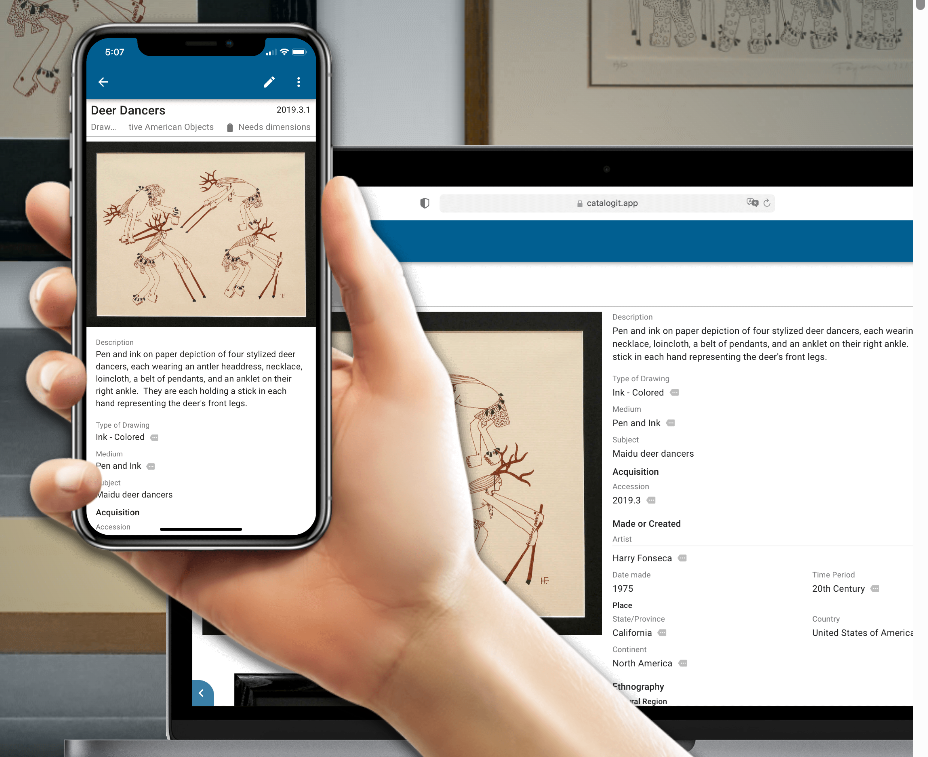
CatalogIt mobile and web view
CatalogIt offers both a fully functional web-based and mobile-based app, meaning you can view and edit your collection information from anywhere.

This software has all of the components of Recollector, and a whole lot more. One of the key features is the ability to relate items together and to share your collection online in virtual galleries. Both of these features are included in the subscription cost. Another key difference with CatalogIt is that it is cloud based with a fully functional phone app, meaning that not only can you see your collection from your phone, you can edit from your phone. You can create an entry on your desktop, snap a quick photo on your phone, and upload the image straight into CatalogIt from your phone. Easy peasy!

Screenshot of CatalogIt entry for the Grand Army of the Republic
In this screenshot from the author’s personal collection taken from the mobile version of CatalogIt, you can see how the Grand Army of the Republic is listed as “GAR” and “G.A.R.” showing that a search of any of those three terms will result in Grand Army of the Republic items.

CatalogIt also allows you to create related organizations and people. This is HUGE. Let me explain why: If you’re a Civil War collector, chances are you may have a GAR item, right? Or is that Grand Army of the Republic? Or is it G.A.R.? Now if you do a search in Excel or Recollector for “G.A.R.” you won’t bring up “Grand Army of the Republic” or “GAR” because they are not the same text values. They are purely searching based on that information. Or, if someone is “John Michael Smith” and is sometimes referred to as “J.M. Smith” or “JM Smith” or “J. Smith” you have no way to indicate that they are all the same. CatalogIt allows you to create an organization or a person when you are tagging information in your collection. When you create that person or organization, you simply type in any of their AKAs and the software will remember that. In addition, if you suddenly discover that a person named “Amos” also went by “Dale” you can edit the person you created, add “Dale” and it will automatically update that for all of your entries. This is a fantastic feature to make searches way more useful and accurate, and excellent if you wish to share your collection online for people to search through.

Take a good look through all of these options, and it’s important to note that both software programs offer free trials, so that you can see which one is right for you! We’ll start going over how to catalog in the next blog posts! In the meantime, feel free to check out the Research Arsenal database for ideas of information to track in your collection.

JOIN THE RESEARCH ARSENAL COMMUNITY TODAY.