The Scanners to Digitize Your Collection

The Scanners to Digitize Your Collection

Last week we discussed in some basic detail the advantages of having a digitized copy of your collection available. This week, I want to tackle the first basic step in digitizing your collection—the scanners to digitize your collection. Each one of these sub-headings could be an entire post in itself, but I wanted to give you some basic information to get started if this is not something you have done before and you need to purchase equipment. I was going to go right into how to scan things, but I figured I’d better back up and start with having the best tools in place first.

In order to digitize your collection you will need a scanner, and a flatbed scanner would likely be your best option. You will get the best scans possible from a flatbed scanner as opposed to overhead scanners (but they are extremely useful as I’ll point out later on), and document feeders. I include document feeders on here because there are oversized scanners that use a document feeder to scan large maps and other oversized documents.

Flatbed Scanner

There are lots and lots of different brands and types of flatbed scanners available for purchase. Here, I’m going to share recommendations based on scanners that I personally use. You may already have one that has these same features, in which case, that is perfectly alright. These are by no means the only scanners that can do the job, these are just ones that I am currently using.

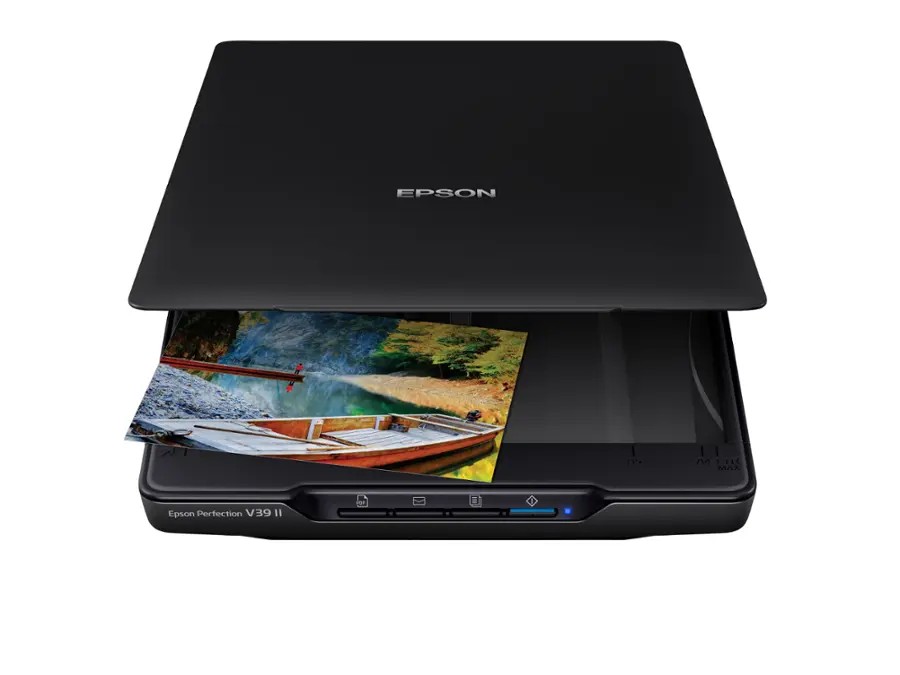
Epson Perfection V39 II

This is one of the more affordable scanners to digitize your collection, and it is very portable too.
This Epson Perfection V39 II scanner one of the more affordable scanners to digitize your collection, and it is very portable too.

My version is the I rather than the II, but for all intents and purposes, they are the same. This scanner was a lifesaver for me as a researcher who spent several weeks on the road and needed to digitize photographs for research and eventual book publication. This little 3-pound scanner is small enough to fit into the laptop section of a standard backpack, but can scan at resolutions up to 4800 dpi. For reference, when scanning you’ll want to use a resolution of 600 dpi. Anything beyond that inflates the file size and typically does not add much to quality except in some circumstances.

This scanner runs off the USB connection to your computer, so there’s no need to find an outlet and deal with a separate power cable. This can be really handy if you’re running short on outlets at home, or you’re scanning someplace and don’t have one nearby.

The downside is that you are limited to 8.5” x 11” in scanning area, which is not enough if you have large letters or other documents. However, if your collection is only tintypes or other smaller media, then this little scanner that runs around $130 will do just fine.

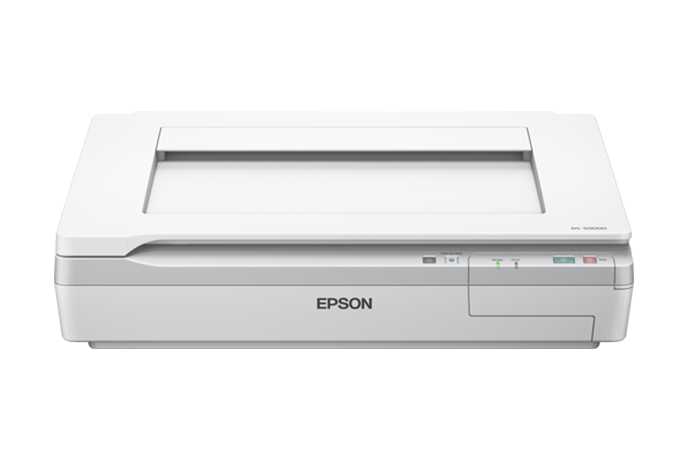
Epson DS-50000

The Epson DS-50000 scanner is a pretty hefty scanner and much more expensive than other options. However, it is fairly quick, offers great resolution, and is a good workhorse if you have a lot of material to scan and you want it scanned in good resolution.

This scanner is most definitely not a portable scanner. It is parked in my office and has a much larger scanning surface than the Epson V39. The Epson DS-50000 can scan documents up to 11”x17” in size which is extremely handy when you are processing a lot of material that runs larger than 8.5”x11.” It can scan in resolutions up to 9600 dpi, which again, is extremely high. This scanner is a hefty 32 pounds, which means it’s not something that you want to be setting up and tearing down over and over. It will need a place to live in your office area. It also has a hefty price tag of a little over $1,800 so it is a big investment.

Overhead Scanner

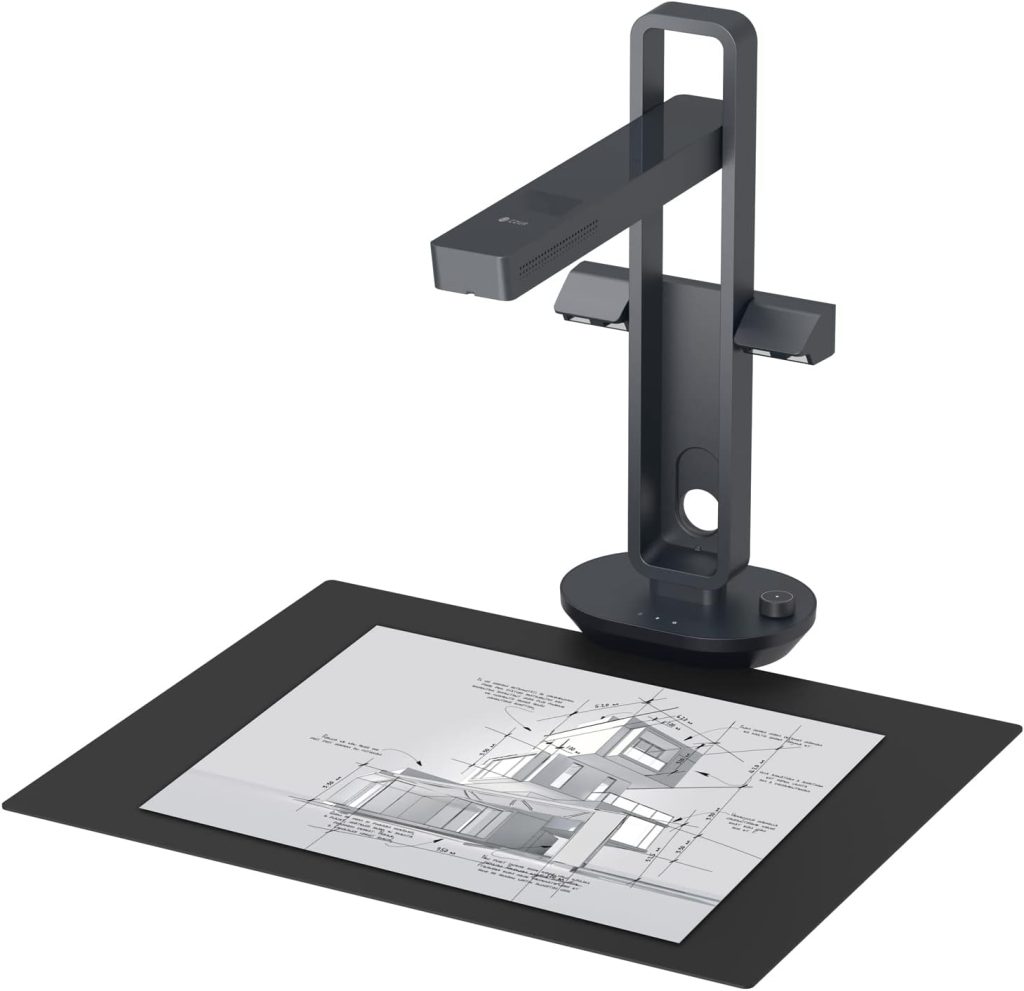
In a way, the term “overhead scanner” is a bit misleading, as these scanners are actually taking photographs rather than “scanning” as a flatbed scanner does. Regardless of how it works, these scanners are a godsend if you are trying to scan a lot of material in a short amount of time. I mentioned earlier that the Epson V39 was extremely helpful for scanning images on the road, these CZUR scanners were crucial for scanning thousands of pages of documents in a very short period of time. You will not get the clarity you would with the Epson DS-50000 on the documents, but depending on your needs, that may not be necessary.

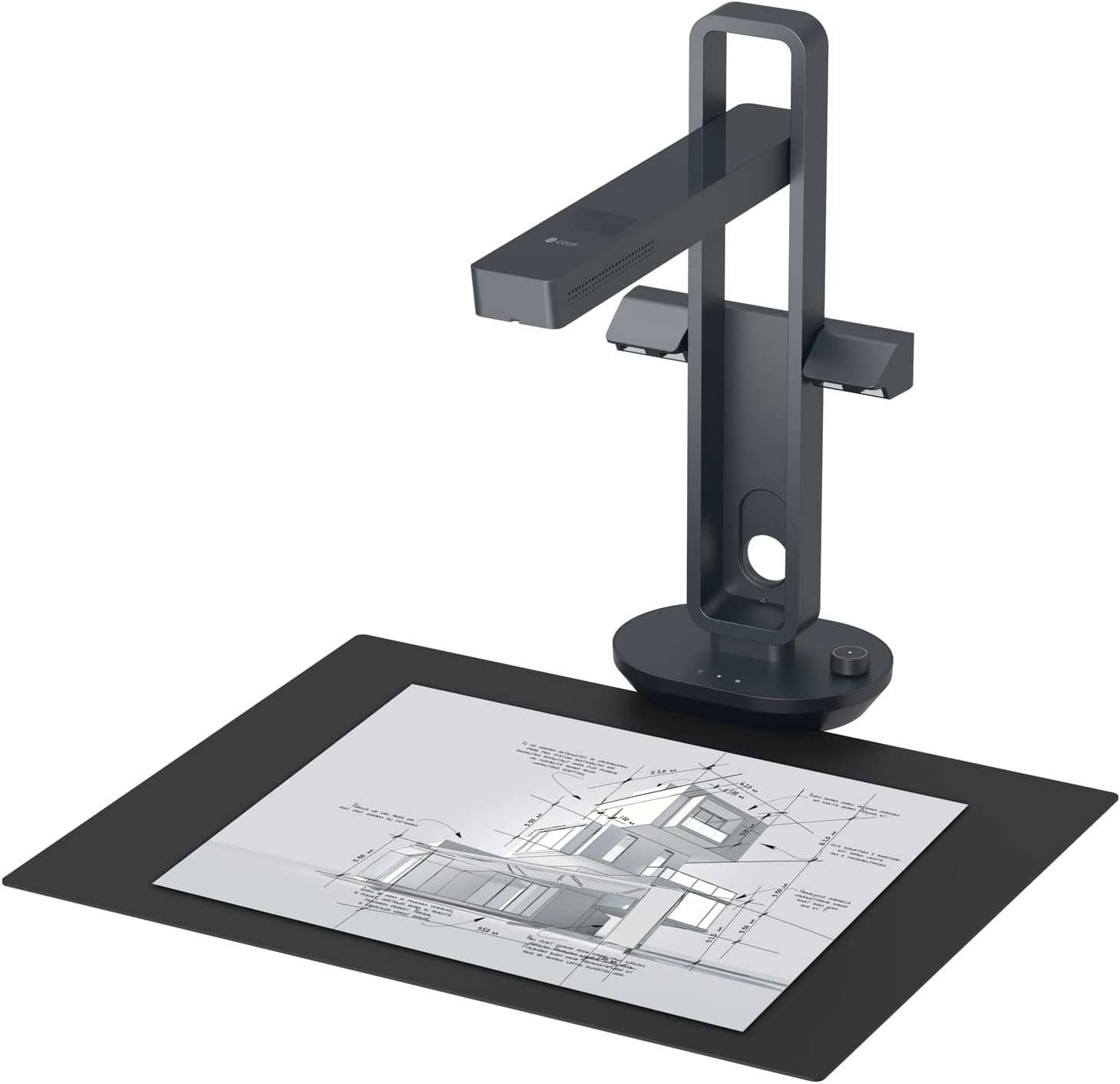
CZUR Aura Mate Pro

The CZUR brand of scanners are probably the most efficient scanners to digitize your collection on the market. They are reasonably priced, easy to use, and scan quickly--2 seconds per image! These work well for archival materials, but not for photographs.
The CZUR brand of scanners are probably the most efficient scanners to digitize your collection on the market. They are reasonably priced, easy to use, and scan quickly–2 seconds per image! These work well for archival materials, but not for photographs.

You simply set up the scanner and the associated scanning pad, hook it up to your computer and you’re ready to go. You can place a single sheet of paper on it—crooked even—and it with the click of a mouse or a press of the foot pedal, it takes a photo, and it’s done. As quickly as you can read, place the paper, click the mouse, place the paper, click the mouse, etc., it’s taking photos. It automatically straightens and crops the images to the edges of the paper, so you don’t have to take time lining them up. If you’re scanning a book, you simply lay the book down, take a picture, turn the page, take a picture, turn the page, etc. You can digitize an entire book in minutes. Now, I will also say that if you’re using this to digitize period books like diaries and such, it gets a little more complicated, but for the most part, it really is this fast. Their product spec page lists the scanning time at 2 seconds per page. It also has a feature for books to correct the curvature in the pages due to the binding so that you end up with two flat pages once it has processed them.

On my last research trip, I brought the CZUR Aura Mate Pro with me as it folds down and is a bit easier to travel with than some of their other models. This model is still available along with a number of other models made by the same company. I will mention that my scanner is bubblegum pink, and it doesn’t appear that you can still get it in that color. Sorry. 😊

This scanner is great for document material; it is not great for photographs. With documents, it has clear resolution, and easy to read, and that’s largely because documents do not have the level of detail and color depth that photographs do. If you try to scan a photograph with this scanner it’s like taking a picture of a picture, and you lose a lot of detail and color. I recommend sticking with flatbed scanners for images and using the CZUR scanner for documents. It is also very affordable at $289 with other models being more expensive.

Document Feeder Scanners

First off, I would like to just say, don’t. Just don’t. If you happen to have an all-in-one printer, scanner, copier that has a document feeder, do not run Civil War letters or other historic documents through them. Period documents are far too fragile to go through something like that. They are likely to get caught in the feeder mechanism and shredded, so it’s best not to.

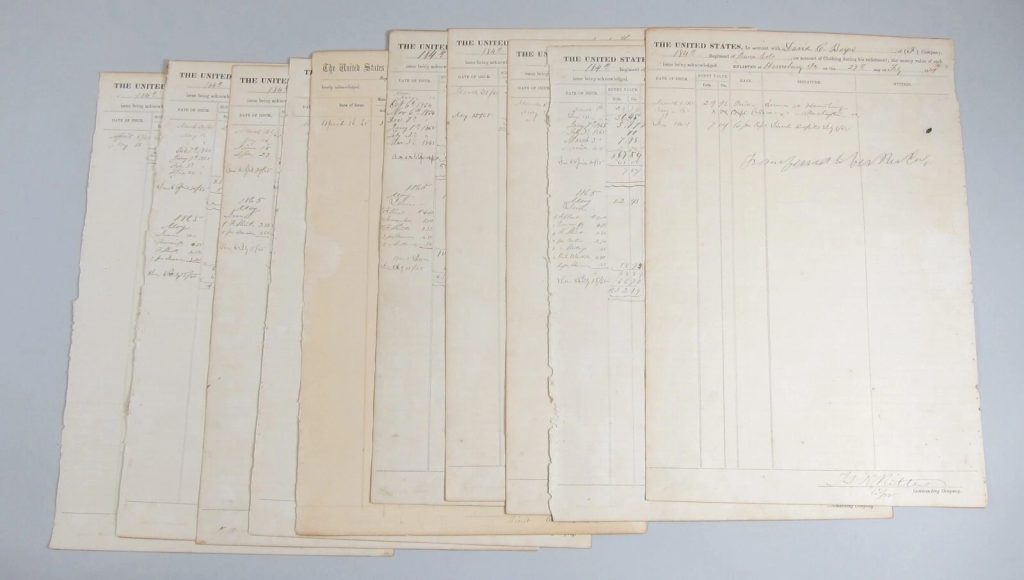
That being said, there are companies who have large document feeder scanners with specialized equipment to handle fragile documents. If you have large muster rolls or other oversized documents, finding a local company with those materials may be an option. But please do your research and make sure that they can safely handle historic materials.

Why Digitize Your Collection

One of the things I’ve written about in previous posts is the importance of digitizing your collection. Whether it’s a photograph collection, or document collection, it’s important to have a digital version of it. Here I’m going to outline why digitization is important and in future posts we’ll go over how to do that and what to do with that digital collection once you have it.

Why Digitize Your Collection

Why digitize your collection? Here's one answer: all of your important documents scanned and cataloged so that any of them can be brought up with just a few clicks.
Why digitize your collection? Here’s one answer: all of your important documents scanned and cataloged so that any of them can be brought up with just a few clicks.

This is probably the biggest question and the most important one to answer first. One of the biggest reasons to digitize your collection is to have a digital record of it, which is useful in a variety of ways: Keeping track of what you own (catalog), insurance purposes, easy reference (where is that tintype again?), research (how nice is it to zoom in on photos?), and preservation. I am harping on this topic because I have run across too many collections and even personal family photos that have never been digitized, and this day and age, it is important to do that.

Keeping Track of What you Own

CatalogIt mobile and web view
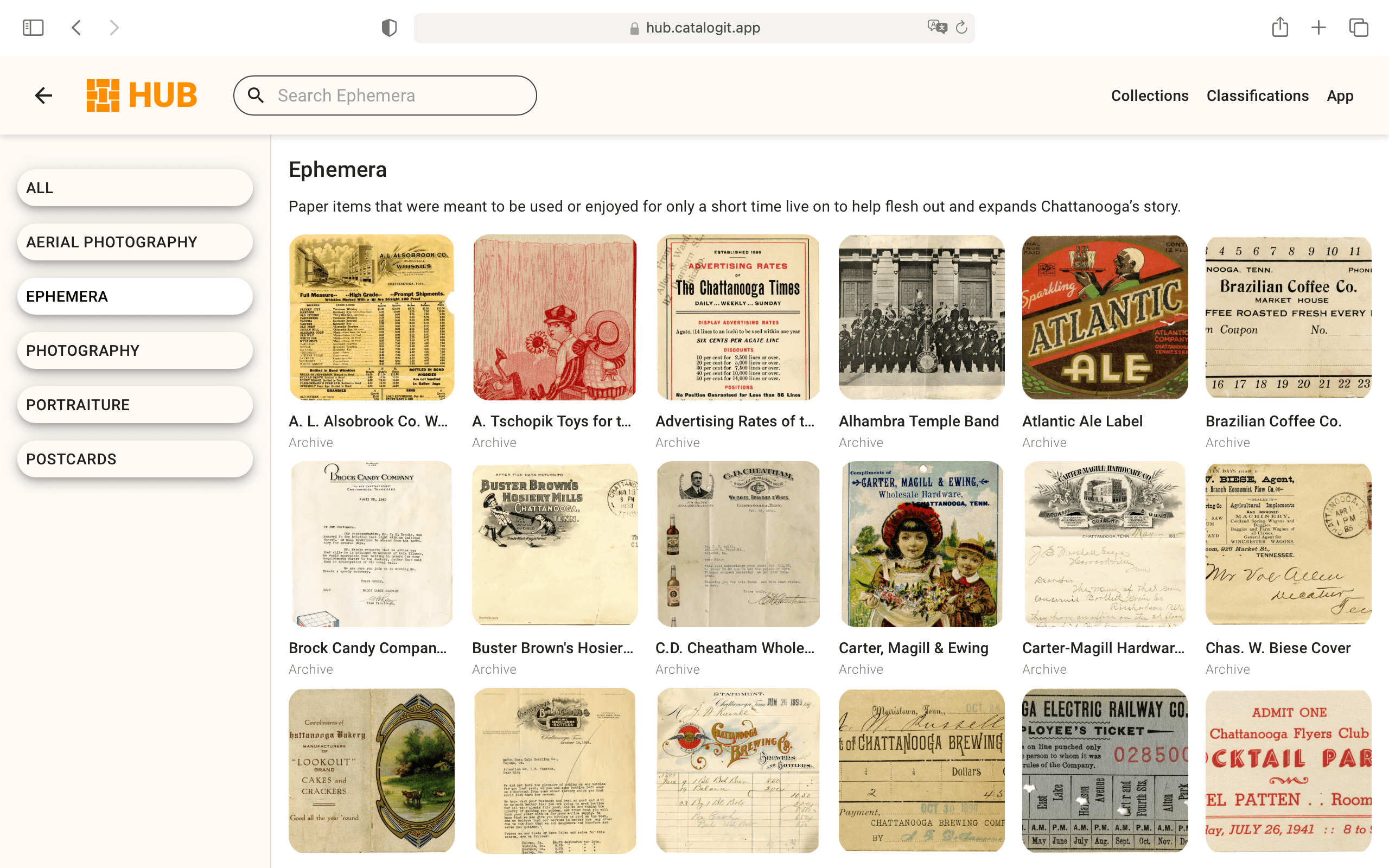
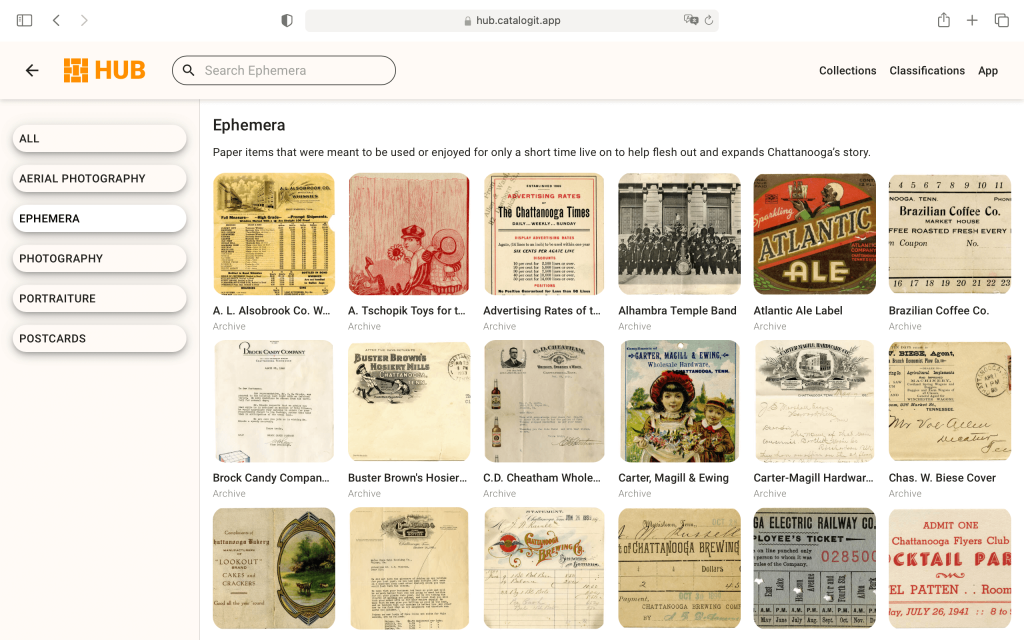
CatalogIt offers both a fully functional web-based and mobile-based app, meaning you can view and edit your collection information from anywhere.

This is a big reason for the collectors out there. How many of you have wandered through a show and saw a photo and wondered if you already had that one, already had one from that regiment, or thought maybe you recognized the individual, but couldn’t identify them? How nice would it be to have that information with you at all times! This is entirely doable with the catalog software currently available for museums and collectors.

I’ve recommended CatalogIt in past posts on the importance of cataloging your collection, but here I want to emphasize the fact that because it is cloud based and has a companion phone app, meaning you have your collection with you on your phone at all times. Now, I would recommend creating substantive catalog entries, but if you create even just the most basic entries with attached photos, you will at least have a visual record of your collection. If you add more information like photographers, subject names, regiments, etc., then you will have an even more powerful tool with you when you go to those shows. This software will also track what you pay for items in your collection, so if you want to know if a particular photo is a good deal or overpriced based on what you’ve paid in the past, you have all that information too.

Insurance Purposes

This is a topic no one wants to think about, but it’s a necessary one. If you have a large collection of historical memorabilia, it’s a good idea to have it insured. And to do that you’ll want a good digital record of it backed up somewhere in case the worst should happen and you have to file a claim. It’s a dire motivation to be sure, but something important to consider.

Easy Reference

This dovetails nicely with using catalog software, but if you even just have digital image files on your computer, you can organize them by type, subject, photographer, etc. Once you have them organized it can make it much easier to find the item you’re looking for so that you do not have to go through your collection digging for them.

Easy Research

This ties in nicely with the previous reason because once you’ve found that particular image now you can look at it easily on your computer. You can zoom in and read writing that is too small, see minute details in photographs, and spot equipment, recognize faces, etc. All because photographs are much easier to see on a computer when properly scanned than from a print.

This is also helpful with documents. I have mentioned a couple times in past blog posts the Civil War letters I’ve found that have been traced in ballpoint pen. If you have a letter that is difficult to read you can scan it, and adjust the contrast, levels, etc. digitally until you can read. No ballpoint pens necessary! Seriously though, please don’t use the ballpoint pens…

Preservation

This is the last “why” of this post but certainly not the least. As museums or collectors, historic preservation is one of our most important—if not the most important—thing that we do. If we don’t have the budget to create a nice flashy exhibit, let us at least make sure that items are not degrading in our care.

Every time an item is handled it breaks down. No matter how careful you are or how gentle you are with it, it breaks down. We’ve all encountered those old books and newspapers that seem to just crumble as you look at them. Sometimes it’s not even about how gingerly it’s handled, it’s just the fact that the item in question is so old and so fragile that it cannot be helped. This is why digitizing your collection so that it does not have to be handled is so important.

If you want to look at a specific photograph or read through an old letter again, you can look at the digital version knowing that the original is safely tucked away in archival materials. This ties into that responsibility we have as collectors to make sure that we are good stewards of this history—while we have it. If we do our jobs right, these items will outlive us all and be around for generations to come.

In the next post I’ll go over some digitization tips that may be of help to you if you decide to take the plunge and start scanning your collection. Or, if you decide to punch up your current digital collection with additional scans or cataloging.

The Humanity of the Battle of Gettysburg in Primary Sources

The Humanity of the Battle of Gettysburg in Primary Sources

As a professional or amateur researcher, the best information you can find about a historical topic will come from primary sources. Depending on the event, that can be difficult to track down. Those first hand accounts written as letters home to a wife or mother, a photograph taken of the aftermath, or a simple clothing return, all serve to show that the Civil War was more than just statistics–they show the humanity of the Battle of Gettysburg and the entire conflict. As we remember and honor the sacrifices made during the Battle of Gettysburg this week in 1863, I thought it would be fitting to share just some of the available information on the battle on the Research Arsenal database.

Photographs

A search of the term “Gettysburg” within the photographic library on the Research Arsenal database will yield 199 search results. Several of these are the well-known photographs of the dead on the battlefield, but many others are portraits of various soldiers who fought in the battle or were part of that campaign. This makes it much easier to find photographs of soldiers who fought in the battle because they can be searched for through a single keyword, rather than looking up each regiment individually.

You will also find various photographs of the town, and the battlefield many years after the battle as monuments began to be added to commemorate each regiment. One particular photo that stands out is the “Children of the Battlefield.

CDV Photograph of Frank, Frederick, and Alice, “The Children of the Battlefield” Carte-de-visite (CDV) photograph of Frank, Frederick, and Alice, the children of Amos Humiston of the 154th New York Infantry. Humiston was killed at the Battle of Gettysburg, but his identity was at first unknown. An original ambrotype of his three children – eventually copied to produce this CDV - was found clutched in his hand. The ambrotype came into the possession of Dr. J. Francis Bournes of Philadelphia, who traveled to Gettysburg to help tend to the wounded after the battle. Bournes vowed to identify the soldier and return his image to the family. Newspapers soon printed a description of the subjects in the hopes of someone could connect them to the fallen soldier. It worked. Bourne would later work with local photographers in Philadelphia to produce copies of the Humiston ambrotype for the benefit of a home for orphaned children of the battlefield in Gettysburg.
Carte-de-visite (CDV) photograph of Frank, Frederick, and Alice, the children of Amos Humiston of the 154th New York Infantry. Humiston was killed at the Battle of Gettysburg, but his identity was at first unknown. An original ambrotype of his three children – eventually copied to produce this CDV – was found clutched in his hand. The ambrotype came into the possession of Dr. J. Francis Bournes of Philadelphia, who traveled to Gettysburg to help tend to the wounded after the battle. Bournes vowed to identify the soldier and return his image to the family. Newspapers soon printed a description of the subjects in the hopes of someone could connect them to the fallen soldier. It worked. Bourne would later work with local photographers in Philadelphia to produce copies of the Humiston ambrotype for the benefit of a home for orphaned children of the battlefield in Gettysburg.


Letters

Searching for the term “Gettysburg” in our Letters Library will yield over 1600 results. These will include letters and diaries of soldiers who are somehow connected to the Battle of Gettysburg, although the content may not reference the battle directly. Still, these letters and entries offer a glimpse into the human side of the battle. They were not just numbers on a casualty list or names on a regimental roster—these were people, human beings, with families, loved ones, hopes and dreams. Reading these letters offers modern-day people a chance to connect with the past on a very relatable level.

For those looking for a more direct connection to the battle itself, you can filter the letters by location and select all of the boxes relating to Gettysburg sites. This will yield 13 letters and diaries written from the town. Eight of these are written in July 1863. Lucian Wells Hubbard offers a glimpse into the monumental battle from the perspective of a young drummer boy of the 14th Connecticut Infantry in a letter to his mother on July 3, 1863:

“We are having a terrible battle here now. It is raging terrible. Our regiment is being all cut to pieces. This morning they were ordered (four companies) to charge a barn [the “Bliss Barn”] that was occupied by the rebels. They done it. Not a man faltered and they succeeded in reaching the barn. Out of the four companies, two lieutenants ¹ were wounded and about ten privates. Pretty soon the Brigadier [General Alexander Hays] rode by and said he wanted the 14th to charge a house [the “Bliss House”] that the rebel sharpshooters occupied. They charged the house and had just got [about there] when the rebel batteries opened on them. Still they stood firm. Here was when they got cut up. There was some killed and a great many wounded. Just think—our regiment is now not as large as the Home Guards now when I was home. I saw Fred. He was in the fight but was not hurt the last I saw of him.

The men fight nobly. Dr. [Frederick A.] Dudley of our regiment was wounded in the left arm. The Second Battery was engaged, I believe. You must not feel worried about me I will try and take care of myself. This is an awful fight. We have taken a great many prisoners. We are in Pennsylvania now at a place called Gettysburg. That is quite a large place. Our troops held ½ of the town and the rebels the other. The troops will all fight tomorrow–it being the 4th of July. The batteries from our side are mowing the rebels down with grape an canister and shell. They don’t seem to have a great deal of artillery here—at least they don’t reply a great deal. Their batteries seem to be all planted in one place while ours are all scattered around at different places.”

Lucian Wells Hubbard enlisted in the 14th Connecticut Infantry at the age of 14 as a drummer boy. It is not known if his parents gave their consent for such a young boy to join the war. Lucian served at the Battle of Antietam and later at the Battle of Gettysburg. Just a few months after this letter was written, Lucian was captured and sent to the Belle Isle POW camp. In the spring of 1864, Lucian Hubbard suffered from chronic diarrhea. Severely weakened, he died from the disease on April 16, 1864. His mother, Calista Hubbard doggedly pursued the story of her son’s death. On May 21, 1865, a soldier who was imprisoned with Lucien replied to her inquiry about him. “He often told me,” wrote Patrick Carroll, “that he was afraid he would never see home.” The drummer boy’s final resting place is believed to be Richmond (Va.) National Cemetery
Lucian Wells Hubbard enlisted in the 14th Connecticut Infantry at the age of 14 as a drummer boy. It is not known if his parents gave their consent for such a young boy to join the war. Lucian served at the Battle of Antietam and later at the Battle of Gettysburg. Just a few months after this letter was written, Lucian was captured and sent to the Belle Isle POW camp. In the spring of 1864, Lucian Hubbard suffered from chronic diarrhea. Severely weakened, he died from the disease on April 16, 1864. His mother, Calista Hubbard doggedly pursued the story of her son’s death. On May 21, 1865, a soldier who was imprisoned with Lucien replied to her inquiry about him. “He often told me,” wrote Patrick Carroll, “that he was afraid he would never see home.” The drummer boy’s final resting place is believed to be Richmond (Va.) National Cemetery.


Clothing Ledgers, Morning Reports, and Muster Rolls

Clothing ledgers are searchable by location and include sixteen results for “Gettysburg,” however there are far more than sixteen relating to the battle. It’s important to search all three of these libraries by the specific regiment you are looking for and in the right time frame to locate records relating to the battle. This is a fantastic way to determine what weapons certain regiments carried, what clothing and equipment soldiers carried, etc. In fact, this information has already changed the perceptions people have of the battle.

Ordnance returns have shed new light on the weaponry of General John Buford’s cavalry division during the Battle of Gettysburg. Many have thought that aside from the Sharps carbine, the most common weapon held by his soldiers was the Spencer carbine. Going back to the original ordnance returns, shows that that is not the case!


A simple blog post cannot do justice to the wealth of human stories and history contained within thousands of pages of digitized materials. As we remember and honor those who fought at the Battle of Gettysburg, it is my hope that these photographs, letters, diaries, and military records will help keep the stories of the lost alive for generations to come.

3 Simple Tips for Displaying Your Collection

3 Simple Tips for Displaying Your Collection

A "Wunderkammer" or Cabinet of Curiosities was the first form of a museum that became popular in 16th Century Europe. They were characterized by room crammed full of cool stuff. This is not a good model for exhibiting your collections.
A “Wunderkammer” or Cabinet of Curiosities was the first form of a museum that became popular in 16th Century Europe. They were characterized by room crammed full of cool stuff. This is not a good model for exhibiting your collections.

One of the highlights of owning a nice collection (or even a beginner-level collection) of Civil War memorabilia is displaying it. Having a case set up somewhere or even an entire room devoted to the collection is a great way for you to enjoy it and also show it off to family and friends. There is nothing wrong with this at all, but there are a few things to keep in mind when you are creating these exhibits, in order to ensure that your collection stays in excellent condition. Here are 3 tips for displaying your collection that will help you care for your artifacts well.

1. Rest Your Collection

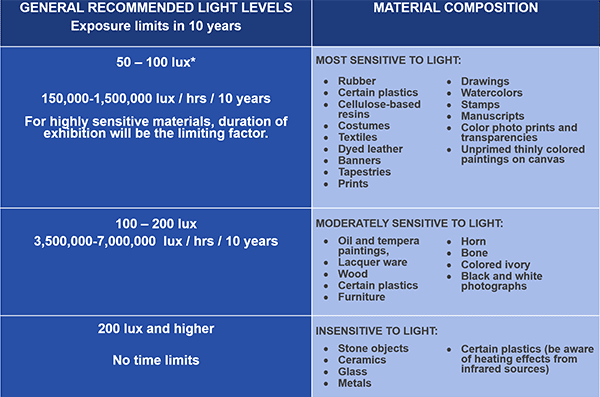
This is likely something you’ve encountered in museums in the past. You really enjoyed seeing a specific object on exhibit a couple of years ago, but when you return, it’s no longer on display. This can happen as part of changing museum themes and also in order to rest the item. This is something especially crucial for objects made of silk (ex. old flags), any paper materials, photographs, fabrics, etc.

For these items, just being exposed to sunlight and the artificial lighting in your home is destructive. Paper can turn yellow, inks begin to fade, and silk starts to break down and crumble. Rotating items from exhibit allows them to “rest” in their (hopefully) archival storage boxes which keeps them stable and away from any light sources. It’s also important to monitor your humidity levels in your home to make sure that they are optimal for your collection.

2. Museum Quality Cases

There are a wide variety of “exhibit” cases on the market that range from a few hundred dollars to thousands of dollars. Cost issues aside, the most important thing to look for when selecting a case is if it is museum quality. Does it have halogen lights? Then it is not museum quality. Halogen lights are extremely destructive to artifacts through the intense light and the extreme heat they put off. No two ways about it, avoid halogen lights like the plague.

Another thing to look for is if it has UV blocking lights and/or UV blocking glass. UV is a terrible thing for collectibles of any kind. That will fade, yellow, crumble and disintegrate all sorts of fragile and paper objects. It will cost more, but it is worth it for your collection in the long run to seek out cases that mitigate UV light.

One other thing to consider is where you put your cases. Are they in a room facing the sun? Not good. Does the room have fluorescent lighting? Also, not good. However, you can remediate that by adding UV light filters to your fluorescent light fixtures, and UV blocking blinds or films. Again, this is another reason why items should be rotated from exhibit.

3. Display Stands and Other Props

Recently, I saw in a Facebook group someone who was showing off their new exhibit case full of photos and other Civil War memorabilia. While everyone commented how nice everything looked, my eye was immediately drawn to a Civil War kepi that was being displayed in a Riker mount. This hat was flattened like a pancake into that mount. Now, I don’t know if it was original or not, I am assuming it was as it seemed everything else in the case was. This is probably the LAST way you would ever want to store something like a kepi. A hat is a 3D object meaning that it is meant to have height. In order to fit into a Riker mount box, it has to be completely flattened to less than 1 inch tall. Because these are made of old and fragile textiles, they will stay in the squashed shape and will likely tear or fall apart if you try to “fix” them by returning them to their proper height. If you have something like this in your collection, it is perfectly acceptable to display it, but it should be in the open in the case and the interior of the hat should be supported with balled up archival tissue. Alternatively, you can store it on a specially made museum quality hat stand. But please do not squish things like this to fit into a Riker mount. Even if you purchase one that is like that already, please take it out of the case and store it on tissue. Continuing to press it down is not doing it any favors.

It’s quite common to use stands and other props to hold up items within cases. Typically, there is not much to be concerned about here as long as the items being used as props or shelf liners are archival. Acrylic stands designed for museum exhibits are perfectly fine. One thing to watch out for is how you line your cases and how the items are arranged in cases. For example, if you have a period newspaper don’t put a big piece of rusty metal on top of it like a bayonet. First of all, the bayonet is going to leave an impression on the newspaper and dent it, second of all, it will transfer rust and discolor the newspaper. Just don’t do it. A lot of this is common sense. Heavy sharp objects should not be laying on fragile objects. And to go a step further, no items should be “stacked” in your exhibits. Each item should rest on a stand or the shelf itself without leaning on or laying directly on another object. This will ensure that they do not damage each other. And it will also make for a much cleaner exhibit rather than a cluttered case of a bunch of stuff crammed together.

Angry Archivist: Stop Writing on and Putting Sticky Notes on Historical Documents

Angry Archivist: Stop Writing on and Putting Sticky Notes Historical Documents

Rarely to the culprits of damaging archives identify themselves, but in this case we have a name--Alice. In 1930 Alice was one of the relatively few people who had a ballpoint pen (they didn't become popular until after WWII) and she had an old family letter written in faded pencil that was difficult to read, so she traced it. We all know that Alice meant well, but unfortunately, her actions have irreversibly damaged an original Civil War letter home. Always be mindful of your actions and consider if they are reversible. If they are not, I HIGHLY recommend you do not do them.
Rarely to the culprits of damaging archives identify themselves, but in this case we have a name–Alice. In 1930 Alice was one of the relatively few people who had a ballpoint pen (they didn’t become popular until after WWII) and she had an old family letter written in faded pencil that was difficult to read, so she traced it. We all know that Alice meant well, but unfortunately, her actions have irreversibly damaged an original Civil War letter home. Always be mindful of your actions and consider if they are reversible. If they are not, I HIGHLY recommend you do not do them.

You may remember that I wrote (ranted) about people marking up original historical documents with ballpoint pens. I am frustrated to say that the trend continues as I’ve found more Civil War letters traced with ballpoint pen (thanks, Alice). I also want to point out another common thing I find in archives that I believe is more the work of sellers as opposed to collectors, but either way, it’s annoying—leaving notes on historical documents. These notes are either written on the documents themselves or on sticky notes stuck to the original documents. Both are bad.

For a hypothetical example, here’s an original letter written by a Civil War soldier who describes that he hasn’t heard from his cousin since the Battle of Gettysburg, and that he could really use some new pairs of socks since his have gotten worn from all of the marching. What a nice handwritten letter. Then you flip it over and, on the back, (usually in giant letters) are terms like “GETTYSBURG” then you’ll find other keywords virtually shouting at you, “SOLDIER CONTENT,” “HOMEFRONT,” “GETTYSBURG, GETTYSBURG, GETTYSBURG…” you get the idea. Sometimes this is written directly on the letter and other times it’s written on sticky notes stuck to pages. DID YOU KNOW THIS DIARY PAGE MENTIONS GETTYSBURG??? Here’s a neon pink Post-it note stuck directly onto the faint pencil writing (although we can fix that by tracing it with a ballpoint pen, can’t we? NO, Alice.)

Here is an example of a note likely left by a seller on an original Civil War letter. It has the keywords "Hist of movement Mass Vols, Himself, Forts around Wash." Now, to me, I feel like a lengthy letter entitled "Memoirs of a Soldier" (titled by the author) likely includes the soldier talking about "himself." Why someone felt the need to write that on the letter (or any of the other content for that matter) is beyond me. This information is not very useful, and it does not need to be written on the document. This bare bones notation could easily have been written on a slip of archival paper and kept with the letter.
Here is an example of a note likely left by a seller on an original Civil War letter. It has the keywords “Hist of movement Mass Vols, Himself, Forts around Wash.” Now, to me, I feel like a lengthy letter entitled “Memoirs of a Soldier” (titled by the author) likely includes the soldier talking about “himself.” Why someone felt the need to write that on the letter (or any of the other content for that matter) is beyond me. This information is not very useful, and it does not need to be written on the document. This bare bones notation could easily have been written on a slip of archival paper and kept with the letter.

I get it, you’re a seller and you’ve got some great content in that old diary (GETTYSBURG) and the more you can tout that, the more you can sell it for. It’s a business. I understand that, really, I do. HOWEVER, there are ways to keep track of this fantastic content you are trying to sell without plastering it full of non-archival and damaging sticky notes, or writing all over it (BUT IT’S IN PENCIL!!!).

Here’s the thing: yes, archivists do use pencils on documents. To write catalog numbers on them. THAT IS ALL. They do not underline or annotate historical documents to the point that they look like a teenager’s CliffsNotes to “The Grapes of Wrath.” Pencil can be erased. This is correct. However, every time you write and erase something, it takes a layer or paper with it, and oftentimes there’s still a faint mark where the writing was. If the document was even slightly dirty (which, let’s face it, we’re talking about 160-year-old Civil War papers, there is going to be some dirt) the eraser will take that with it so now you have a weird, discolored patch on the document. Sort of like when you clean up Fluffy’s hairball with carpet cleaner and now that patch of carpet is just ever so slightly lighter than the rest of the carpet and it drives you up the wall, but I digress.

And sticky notes? No. Just no. When it comes down to it, sticky notes are paper with an adhesive back, like tape, but with a “repositionable” and weaker adhesive. At the end of the day, they are still adhesive and whether you see it or not, they do leave residue behind. Especially, when they are left on a document for any length of time or exposed to extreme heat. Anyone mailing documents in the summer? This is a problem.

Alternatives to Sticky Notes and Written Notes

Here's an example of a sticky note stuck to an original page of a ledger making note of a deserter. Something that it literally says in red ink just a few inches away from the sticky note. This note is not providing any additional information from what is already plainly visible on the page, and it is actively causing damage to the original pages because it is non-archival.
Here’s an example of a sticky note stuck to an original page of a Civil War ledger making note of a deserter. Something that it literally says in red ink just a few inches away from the sticky note. This note is not providing any additional information from what is already plainly visible on the page, and it is actively causing damage to the original pages because it is non-archival.

But, as usual, I’m not just here to rant. There are alternatives and solutions to these sorts of things.

First of all, there is no need to write a keyword salad of a document’s contents directly on the document. Historic documents should be kept in sleeves so that they are shipped protected—write your keyword salad on a Post-it note on the sleeve (yes, sticky notes are acceptable here because they are not touching the original document).

As for flagging “significant” pages in a diary, simply use a small piece of archival paper inserted into the book. Make sure that it sticks out of the top and you can write on the outer portion what is in the book. In a perfect world, the diaries would not have paper inserts highlighting specific pages, but I understand that sellers and perhaps collectors like to have easy reference to those. Although if you are a collector, I would highly recommend that you simply digitize the diary and use that for quick reference rather than flipping through the diary over and over and eventually weakening it considerably. But if you simply must use something to identify a certain page, do not put a paperclip on it, do not put a sticky note on it, just use a “flagger” made of archival (non-sticky) material with a portion sticking out of the book with your notation. Easy peasy.

And one more thing, all of these notes we’re talking about (and transcriptions) are all examples of information that can be kept with you collection digitally. If you make use of collection software, all of this can be kept with those records, so there is no need for sticky notes, tracing old writing to make it more “readable,” etc.

Just to reiterate: No ballpoint pens on archival documents (I know what you did, Alice). No sticky notes on archival documents. And no superfluous keyword salads on archival documents. Please and thank you.

Angry Archivist: Can I Just Glue It?

Angry Archivist: Can I Just Glue It?

Here is a photo of the papyrus artwork just after I removed it from the frame. Notice the faded black color of the posterboard. The art was completely glued to the backing.

For this post blog post, I’m deviating a bit from the Civil War and shifting gears into archival madness that I sometimes run across on a personal level. I feel that although we’re not discussing Civil War archives, this is something that very much applies to them, or any personal family documents and art you may have framed. Specifically, today we’re talking about glue, and why it should never be anywhere in the same place as documents, photos or artwork. So, in answer to the question, “Can I just glue it?” No, please don’t.

First, a little backstory. As you may have guessed, I’m a bit of a history nerd, and that love of history extends beyond the Civil War to collecting ancient Egyptian artwork ever since I was a little kid. Imagine my excitement to find a whole slew of hand painted souvenir papyrus at a garage sale recently for $30! I snatched them all up and took them home to reframe them, and then I got angry.
Once I dismantled the frame, I found this original papyrus illustration glued to a sheet of posterboard. And not small dabs of glue in each corner, GLUED. Swirls of glue all over that posterboard. I’d hoped that perhaps the glue was old enough that it would not have a good hold on the art anymore, and that the papyrus would just pop off from it. I was mistaken. In the immortal words of Elwood Blues, “this was glue. Strong stuff.

I was able to slowly peel the papyrus off of the glue by working my hand between it and the posterboard very very slowly. It is important to note here that papyrus is stronger than old documents and paper in general. Because of the plant fibers it was tougher, but if you look at the photos, it still lost some pieces in the process. In addition, there are remnants of glue stuck to the back of the art that has essentially permanently bonded to it.

I took this photo as I was working on separating the art from the backing. Notice the glue streaks, the faded black posterboard and the remnants of papyrus material stuck to the posterboard, and pieces of posterboard stuck to the papyrus.


This photo speaks to several archival issues at once. First, notice the "ghost" image of the art on the posterboard. This is from UV light shining on the image and fading the posterboard behind it, but the painted portions blocked the light from shining through leaving a "ghost" image. Second, notice the overwhelming amount of glue used and how that tore at pieces of the art. And lastly, the barcode sticker was not removed when it was originally framed, which is not something you want touching your documents as it is not archival. In fact, nothing in the picture is archival.
This photo speaks to several archival issues at once. First, notice the “ghost” image of the art on the posterboard. This is from UV light shining on the image and fading the posterboard behind it, but the painted portions blocked the light from shining through leaving a “ghost” image. Second, notice the overwhelming amount of glue used and how that tore at pieces of the art. And lastly, the barcode sticker was not removed when it was originally framed, which is not something you want touching your documents as it is not archival. In fact, nothing in the picture is archival.

It is possible that this was some sort of water-soluble glue (ex. Elmer’s), but introducing water to try to remove it is extremely risky for any paper medium. As I’ve mentioned in previous archival posts, it is important that whatever you do with any historical document (or artwork) is reversible. Using a mountain of glue to stick it to non-archival posterboard is not reversible.
With Civil War-era documents you may even run across the infamous cheese glue (yes, that is a thing). And silly though it may sound, it is indeed strong stuff. When documents are glued together historically, I would refrain from attempting to separate them. However, this can be done in some cases by employing steam to attempt to release the glue. This is also very risky and damaging as it is introducing water vapor to a document which can wrinkle and warp it. However, if the document is unreadable or at risk by continuing to be glued to something, then it is generally worth the risk to mitigate that.

I am happy to report that this story has a happy ending as the hand painted souvenir trinket papyrus painting of the god Horus and Queen Nefertari was saved and is now hung up in a floating frame.

I would be remiss if I didn’t also mention that in the course of reframing about half a dozen of these pictures, I found a few where the artwork was mounted to posterboard using some kind of putty. This putty had the consistency of chewing gum and as you can imagine did not peel off well from a textured surface and also left stains behind. For future reference, please refrain from gluing or using chewing gum to mount any documents to posterboard. And please don’t use posterboard either as it’s non-archival and you can see how it faded in the pictures and even left a “ghost image” of the original artwork behind.

While this information may not apply to how you keep your Civil War documents, it is something to watch out for when framing beloved family photos or mementos—things that we often don’t consider historic. Because of that, we may not take the same considerations as we would with that hand-signed letter from Abraham Lincoln that is sitting in our collection. (Please don’t glue your Abraham Lincoln letters!) However, as time goes on and these family photos and souvenirs become older and intrinsic to family history, it is important that they are taken care of just as well.

Archive Tips: NPS Conserve O Grams Are a Fantastic Free Resource

Archive Tips: NPS Conserve O Grams are a Fantastic Free Resource

Conserve O Gram

Conserve O Grams offer easy to use step-by-step information to care for your collections.


Caring for a private collection of historical material can be overwhelming, especially if you have not had museum training or do not have an archivist background. Things are much better this day and age though, because there are a number of resources available on the internet that can help you. Today, I’m highlighting one of the most prolific ones, the Conserve O Grams put out by the National Park Service.

The National Park Service has been releasing Conserve O Grams for decades, with the earliest dated issues on the website going back to 1993. According to their website, “The National Park Service Conserve O Grams are short, focused technical leaflets that provide practical and easy-to-use guidance on the care of museum collections. The leaflets are geared towards staff responsible for collections care and preservation. They cover procedures, techniques, and materials used in collections management, as well as care of different types of collection objects and materials. New topics are added as needed and out-of-date issues are revised or deleted.”

Here is an example of a Conserve O Gram issue. Usually only a few pages in length, a Conserve O Gram gives you short and to the point information in clear and easy to understand form.

Covering over 186 topics ranging from collection preservation of a variety of object types, to fire safety, pest control, and disaster responses, Conserve O Grams provide a wealth of information regularly used by museum professionals. While some topics may not apply to private collectors, all aspects of collections care and disaster responses do.

How many of you with archive collections have ever run across a rusty paperclip or straight pin holding documents together? Or found a rotten rubber band stuck to an ambrotype case (that’s a future Angry Archivist post)? This Conserve O Gram issue from July 1993 covers all those things and offers suggestions on removing them, what tools to use (and not use), and also councils you on why some fasteners (such as historic seals) should remain. You can see it here: https://www.nps.gov/subjects/museums/upload/19-05_508.pdf

How many of you know the proper humidity level for storing glass plate negatives and ambrotypes? How many of you have found ambrotypes with a flaking black varnish on the back? If you store these images with a relative humidity level of less than 30% those antique emulsions and varnishes will start to corrode and flake off. Learn about how to handle different types of photographs here: https://www.nps.gov/subjects/museums/upload/14-05_508.pdf

As collectors, one thing we love to do is show off our collection. There’s certainly no shame in that, and it’s really no different than putting on a museum exhibit in your own home. However, like a museum, it’s important to follow archival guidelines when displaying our treasure troves. This particular Conserve O Gram covers putting paper on exhibit and the proper mounting techniques. One very important thing to consider is that paper expands and contracts based on humidity. Therefore, it needs to be mounted in something that allows it to “breathe.” I’ve seen so many CDVs encased in hard plastic that does no favors whatsoever for the documents within them. “Once mounted, the document, art work, or photograph does not touch the framing glass or plastic, but is held apart from it by a window mat or spacer.” You may not wish to mount your documents or photographs as described in this particular Conserve O Gram, but the information contained within it on why you should not wedge something into hard plastic is very useful. You can find this issue here: https://www.nps.gov/subjects/museums/upload/13-04_508.pdf

When I took my first collections management class in college many years ago, I was first introduced to Conserve O Grams. I’ve referenced them countless times over the course of my career as a museum director and archivist, and I continue to reference them both professionally and personally as I maintain a large archive of documents at my home. I encourage any collector no matter how long you’ve been collecting to please comb through the various topics covered with Conserve O Grams and to consult them first with any archival questions you may have before asking Facebook groups for their input. All too often, those groups are full of well-meaning folks who want to help, but they are typically not professionally trained. I’ve got a lengthy list of stories of bad advice and bad care methods I’ve encountered over the years.  The more recent ones I’m chronicling on the “Angry Archivist” posts on this site.

You can view all of the National Park Service Conserve O Grams here: https://www.nps.gov/subjects/museums/conserve-o-grams.htm

I hope you find them as helpful as I have over the years, and I hope they are old news for many of you because that means you’re already using them! Which is awesome!

Angry Archivist: Is Sandpaper Archival?

The Angry Archivist: Is Sandpaper Archival?

The Angry Archivist returns with a question that I’m sure many collectors of Civil War memorabilia have been itching to know the answer to: Is sandpaper archival? I have to admit, sandpaper was not something I’d ever thought I’d run across when dealing with Civil War archives, but here we are.

Here is a photo of the yellow "price tag" like sticker on the front of the ambrotype case.
Here is a photo of the yellow “price tag” like sticker on the front of the ambrotype case.
Here is the second yellow "price tag" type sticker on the copper frame and ambrotype itself.
Here is the second yellow “price tag” type sticker on the copper frame and ambrotype itself.
This is the back of the sticker that was on the front of the case. Notice that it pulled up some of the layers of the case material. These adhesives are not designed for artifacts--they are designed to put price tags on merchandise--and they do cause damage when used in this way.
This is the back of the sticker that was on the front of the case. Notice that it pulled up some of the layers of the case material. These adhesives are not designed for artifacts–they are designed to put price tags on merchandise–and they do cause damage when used in this way.

This week started out like any other. I sat down to scan a couple dozen Civil War images—tintypes, ambrotypes, CDVs—the usual. Then I spotted this image.  Notice the yellow “price tag” sticker on the case. My first thought was, “ugh,” but at least I can remove this. Then I opened the case and found the ambrotype inside with another yellow sticker on it. Double ugh. By the way, whoever is putting these stickers on cases—they do cause damage. They are not harmless. The adhesive is strong enough that it can peel off layers of the case and they can also leave behind sticky goo.

As much as these stickers annoy me, they are not the reason for this particular Angry Archivist rant. No, they were just the appetizer, if you will.

Now, for those not familiar with ambrotypes, here’s a bit of a backstory. Ambrotypes are made of glass and have a black varnish on the back of the picture which makes the image a positive and allows it to be seen properly. Over time, this black coating tends to flake off—not always—but it’s not uncommon to see that happen. If the black coating is gone, the image becomes very difficult to see. Collectors will often place a piece of black paper behind the image in the frame so that it can be displayed and the photograph is visible.

Once I’d removed the yellow stickers, I began to remove the ambrotype from the case and then from its copper frame so that I could scan it at high resolution on my flatbed scanner. As I was about to remove the copper frame, I found it. And if you were going to say, “Oh, she must have found the piece of smooth black paper that the previous owner/seller placed behind the image so it could be seen better,” you would be wrong. Very wrong.

That’s right folks, I did not in fact find a piece of non-descript black construction paper, instead I found BLACK SANDPAPER. Thick black paper with a white grid pattern and a SANDPAPER TEXTURE. I like to think that I’ve seen a lot of crazy stuff in my nearly 20 years working in museums and archives, but I have to admit, this was a new one for me. A nice piece of gritty black sandpaper right against an ambrotype with its original black varnish flaking off. What could be better to put against something that is literally flaking off? Ugh.

The paper in question. Here is a photo of the black sandpaper like material cut to fit inside the case. Notice the specks of black material laying on top of it. Those are pieces of the ambrotype's original varnish that have flaked off onto the sandpaper.
The paper in question. Here is a photo of the black sandpaper like material cut to fit inside the case. Notice the specks of black material laying on top of it. Those are pieces of the ambrotype’s original varnish that have flaked off onto the sandpaper.

I have tried to find out what exactly this paper was. It does match some sandpaper that’s available online. It’s possible it was some other paper with a dried adhesive that is now just the texture of sandpaper. I can’t say for certain. What I can say, is that it has the texture of a medium grit sandpaper, is not sticky, and was cut to fit the frame and provide a black background for the ambrotype. Needless to say, the sandpaper was removed and discarded with prejudice.

Is sandpaper archival? No, no it is not! In this photo I tried to get a better view of the rough texture of the paper for you all to see. I am still shocked that I found this.

The Angry Archivist isn’t only about anger, I like to offer solutions too. My first piece of advice is that there is NEVER a situation where sandpaper is a good choice for an archive. Let’s just clear that one up right away. If you have an ambrotype that has lost some of its black varnish and wish to put something in the case with it to make it more visible, I would suggest a piece of archival black paper, like this: https://www.archivalmethods.com/product/black-gray-card-stock

The paper suggested above, and this black museum board are both archival quality and buffered. That fact that they are buffered will help neutralize the acid in ambrotypes, which makes them suitable for long term storage. Always pay attention to whether the archival materials are buffered or un-buffered, as some items can be damaged by buffered materials—such as cyanotypes, and high-protein materials like leather and silks. Buffered archival materials can actually damage those GAR reunion ribbons, and the like, so it’s an important characteristic to take note of.

If nothing else, I hope we have finally settled the question—is sandpaper archival? No. No it is not, and please for the sake of my blood pressure, do not put it behind your ambrotypes! Also, please don’t trace over original Civil War letters with ballpoint pens….

2 Methods for Digitizing Glass Negatives

Two Methods for Digitizing Glass Negatives

Digitizing glass negatives is a fairly simple process, and I will offer two methods you may find useful in this post. Last week, I talked about how to store glass negatives and gave some suggestions as to where to find the proper archival boxes specifically made for that. Once you’ve got the right storage materials, you can sit down and start digitizing. It is always important to have proper storage first so that artifacts are safe as soon as possible. Digitizing can be a project depending on how many glass negatives you have, and you may need to spread out the process over a few days.

First Method: Scanning

If you have a home scanner with a “transparency” setting, you may have very good luck scanning your negatives. If your scanner does not have a “transparency” setting, you may be able to scan some negatives, but if they are dark, they scans will likely not pick up the image very well.

To scan a glass negative, put on latex or nitrile gloves, and make sure the glass bed of the scanner is free of any dust or lint. Then make sure that the negative itself is free of dust and hair—you can use a blower to do that without harming the emulsion. Be VERY careful when brushing off debris on the emulsion side. The emulsion can rub off, which is why it is best not to brush that side. An archival dust blower is perfect for getting dust off without ever touching the glass and can be used on other items in your collection as well.

Once the scanner and glass negative are ready, place the negative emulsion side down onto the glass. Now, and important note here, is depending on your scanner’s point of focus, the image may be clearer with the emulsion side up—however, that runs the risk of creating distortion “rings” in the scan. You may need to try a negative both ways to see which turns out the best with your scanner.

Once the negative is on the glass, gently close the lid and take a look at your scanner settings. It is best to scan images at 600 dpi, although if you want to scan them higher, you certainly can. The best file format to save in is a TIF so that as much detail as possible is saved. This creates a much larger file size, but it also provides the richest data file. A JPG or PNG will compress the image, making a smaller file size, but also saving less information.

Second Method: Photographing with a Lightbox

This method is somewhat “old-fashioned”, but it will work well for glass negatives—especially if your scanner does not have a “transparency” option for scanning darker negatives.

Here you can see a glass negative sitting on the right kind of lightbox. This one courtesy of the now extinct photo lab I used to work for...
Here you can see a glass negative sitting on the right kind of lightbox. This one courtesy of the now extinct photo lab I used to work for…
Here is that same glass negative on one of the modern LED light tablets. Notice the black dots all over on the screen. As you can see, these cheaper alternatives are NOT usable for photographing glass negatives!

The first steps are the same as with the scanner—make sure your lightbox and negative are free from dirt and debris, and make sure you are wearing latex or nitrile gloves. Then place the negative on the lightbox and photograph it. One important note here is to be careful of the lightbox you are using. I used a large lightbox that I saved from the old photo lab I worked at that shut down almost 20 years ago. It still works like a champ! But there are new LED ones available online that when they light up, actually create a dot matrix pattern. You do not want one of those LED ones because the black dots will show up in your photograph of the negative.

In this example I used both my cell phone and a Canon EOS Rebel camera to photograph the negative. The cell phone picture came out rather well, although it is in the JPG format. The camera also did very well, but it takes some practice to make sure that you photograph the image squarely from the top looking directly down so that you don’t end up with a slightly distorted picture.

Processing Your Picture

Once you've scanned or photographed your negative, you will end up with a negative image similar to this. It will need to be processed in a photo editing program so that you can see the image properly.
Once you’ve scanned or photographed your negative, you will end up with a negative image similar to this. It will need to be processed in a photo editing program so that you can see the image properly. This particular image was taken with my cell phone while the negative was sitting on the lightbox.

Once you have your digital file of the glass negative—whether from scanning or photographing—you’ll need to process it in some kind of photo software. You can use Adobe Photoshop, or any other myriad of photo editing programs to do the basics of what we need to do here. I use Affinity Photo for these types of edits.

Open the file in your photo editing program of choice, and then add a layer, and select “Invert.” This will invert black into white and white into black so that you have a positive image, rather than a negative. Once you do this, you will likely need to edit some of the black and white levels. This can be done by adding another adjustment layer and selecting “levels.” By adjusting the black and white levels on the histogram that pops up, you will be able to create a more natural looking image with proper color balance.

An important note here is that some images will be naturally dark and naturally light. Just like back in the “old days” when we’d take pictures with a roll of film, sometimes they were over or under exposed. In that case, there is only so much editing you can do with a photo program to get the best image.

Here is the finished processed image. This is the processed version of the cell phone picture taken above. More work could be done on adjusting the white balance and so on, but this gives you a good idea of how the process looks from beginning to end.

Once you have a finished image you are happy with, you can save it as a new file as a TIF or a JPG—whichever you prefer for your use. I always keep an edited TIF on hand and use a JPG for posting online or sharing via email since the file size is so much smaller.

I hope that this brief walkthrough helps give you some pointers on digitizing your glass negatives!

How to Handle and Store Glass Plate Negatives

In this blog and the next entry, I’ll be going over how to handle, clean, store and digitize your glass plate negatives. Properly caring for these negatives is important to ensure that they continue to survive for decades (and centuries) to come, and so that the image emulsion is not inadvertently damaged by improper storage and handling. Please also consider cataloging your negatives as you go through this process. A related blog entry on cataloging can be found here.

If you’re starting an extensive archive of 19th century archives that includes photographic material, you will likely eventually run into glass plate negatives. These are different from tintypes, ambrotypes and daguerreotypes. There are two types of glass negatives: wet collodion (used between 1855 and late 1880s) and gelatin dry (used from the late 1880s to the early 1920s). The main difference between the two is that the wet collodion glass plates would need to be prepared by the photographer and immediately exposed and then processed by the photographer, all while remaining wet. The invention of gelatin dry plate negatives allowed the photographer to prepare the glass plates in advance before exposing them to light. By the 1880s ready-made gelatin dry plates were available for purchase to photography studios and amateur photographers alike. By the 1920s these plates were being replaced by dry gelatin paper negatives and flexible celluloid film rolls.

How NOT to Store Glass Plate Negatives

Glass plate negative
Here is an example of how not to store glass negatives. Although, it is fantastic that they were at least wrapped, as it could have been much worse. Finding glass plate negatives in this state is not unusual, as this is how families kept them and over time they have just stayed this way.

In all honesty, coming across a batch of glass negatives in this situation is not the worst-case scenario. They are at least wrapped and somewhat protected from the environment and each other, which far beats them just scattered loose in a box without any protection. Still, this is not ideal.

How to Store Glass Plate Negatives Instead

This is an example of glass negatives in protective archival sleeves stored in an archival box designed to house glass plate negatives. These boxes come in all sizes to house different sized glass plate negatives.

Here you can see some glass negatives in protective sleeves inside an archival box specifically made to house them. These dividers accommodate 3-4 plates (depending on thickness) in each pocket. Now, special note here: I have these plates sitting vertically in this picture. This is because I am in the process of digitizing them and it allows me easier access to remove each plate. For proper long-term storage, these plates would be turned onto their long edge so that they would fit snugly between the dividers of the box.

There are a few archival businesses who sell specially made glass plate negative boxes and dividers. The one seen in the photographs here is from Talas and can be purchased here. You will need both the box and the folding protective sleeves.

Important things to Consider

  • You will want to wear gloves when handling these negatives. You don’t want to run the risk of getting fingerprints on them or scratching the emulsion. However, cotton gloves can snag on the emulsion (especially if it is already flaking) and they also can make your grip slippery, and dropping a glass plate negative would be very BAD. Instead of cotton gloves, use latex or nitrile gloves that have a more rubbery texture.
  • The emulsion side of the negative is EXTREMELY fragile. It can scratch off, be washed off, and even just flake off over time. Be extremely careful when handling and do not handle the negative where that can be damaged. Grip it from opposite edges, like you’d hold a CD, do not place your fingers on the emulsion.
  • Your negative may discolor over time. This is natural and due to the chemicals involved. Wet collodion plate negatives tend to turn brown or have a sepia tone due to the varnish that was applied to them. Gelatin dry plate negatives were sometimes varnished and can have a purplish tone but usually have a grey or black image tone.

Cleaning Your Glass Plate Negative

Ideally, this is something that should be done by a professional, but I know there are some antiques dealers and collectors (I’m not pointing fingers…) who can be a little brazen with their attempts to “spruce up” their collectibles, and I’d rather provide solid information for those who are going to forge ahead anyway, instead of not including it.

This is important and also very risky, as you do not want to damage the negative in the process. Do not attempt to clean the emulsion side with any liquids, chemicals or solvents.

The West Virginia University Library outlines a good step-by-step process to clean the glass side (non-emulsion) side of a glass plate negative using ONLY distilled water. If you choose to do this, please follow their steps closely and carefully in order to avoid any unintentional damage.

As opposed to doing this yourself, you may find that your local museum or university archive may be able to help you—or may even help clean them for you. In the next post I’ll go over how to digitize your glass plate negatives and that is also something that your local museum or archive may also be able to assist with.

The most important thing to remember is to not do anything that is irreversible—in other words, don’t wash off the emulsion! And always remember to ask questions if you are unsure of what to do. There are resources available online and also locally at museums and archives who can help you.

JOIN THE RESEARCH ARSENAL COMMUNITY TODAY.